- Good deals
- 23 November 2026 at 09:37 UTC
-

- 1/5
Thanks to the price comparison site "dLcompare," you can find your favorite video games at the lowest price and discover the best deals (and temporary promotions) from well-known websites.
In our case, dLcompare allowed us to benefit from an exceptional 73% discount on the official price (approximately €80) of the game "Avatar: Frontiers of Pandora".
- Find the cheapest price for a video game using the dLcompare price comparison tool
- Sign up on Gamesplanet (US)
- Buy a game cheaper on Gamesplanet (US)
- Confirmation required (if email address is different on Gamesplanet and PayPal)
- Activate the game's CD key on Ubisoft Connect (Uplay) to add it to your library
- Download and install your official game via Ubisoft Connect (Uplay)
1. Find the cheapest price for a video game using the dLcompare price comparison tool
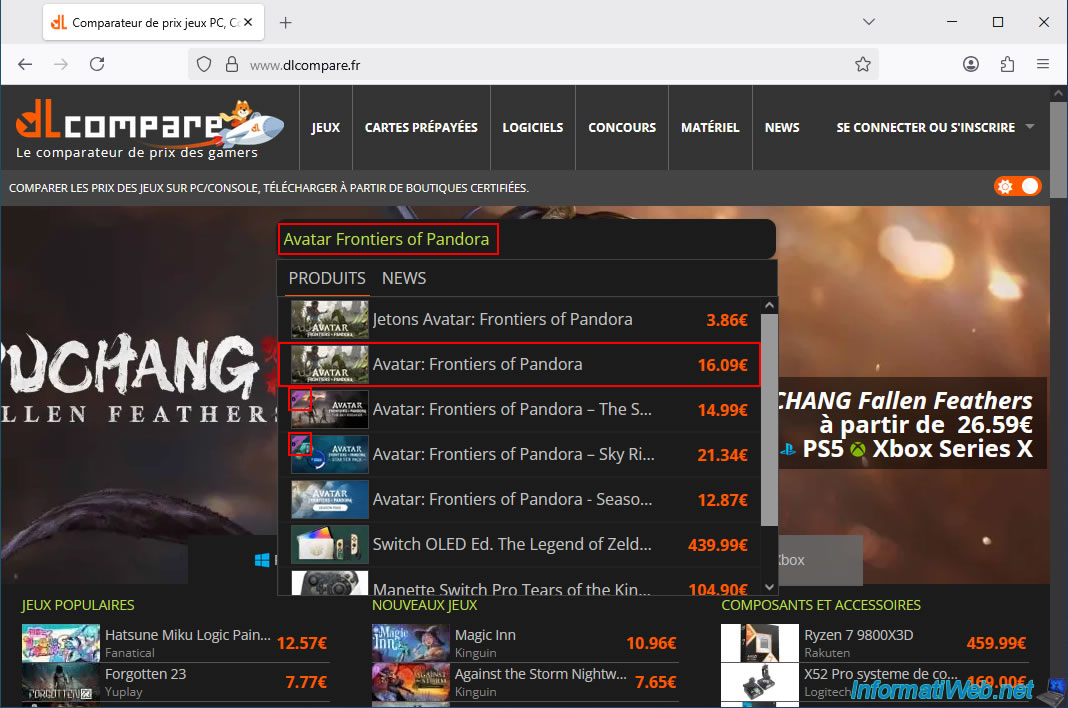
Go to the "dLcompare" comparison tool and enter the title of the game you want, for example, Avatar: Frontiers of Pandora.
Note: the search engine can also display associated DLCs (recognizable by the small purple banner displayed in the upper left corner of each DLC image).
So, click on the game (if it appears) or press "Enter" to see all the results.
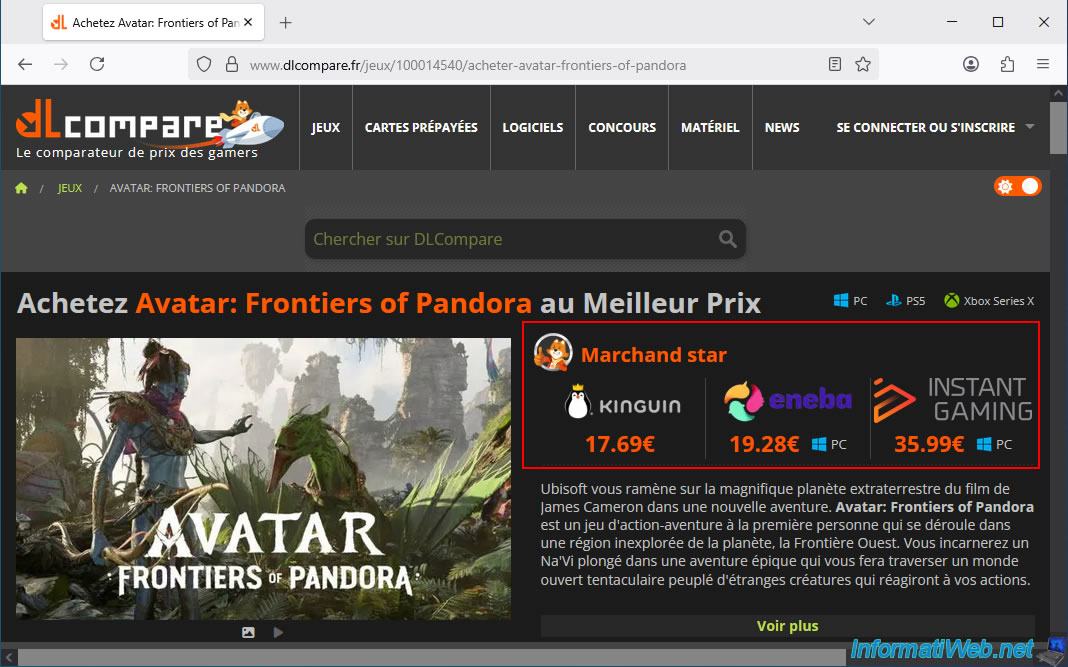
On the "Buy Avatar: Frontiers of Pandora at the Best Price" page, you'll first see a few featured retailers in the top right corner.
These featured retailers have been recommended by this price comparison site for at least six months.
This demonstrates their reliability, and this comparison site recommends them if you want to avoid any unpleasant surprises during your purchase.
However, if you prefer, you can find better prices in the list of offers displayed further down the page.
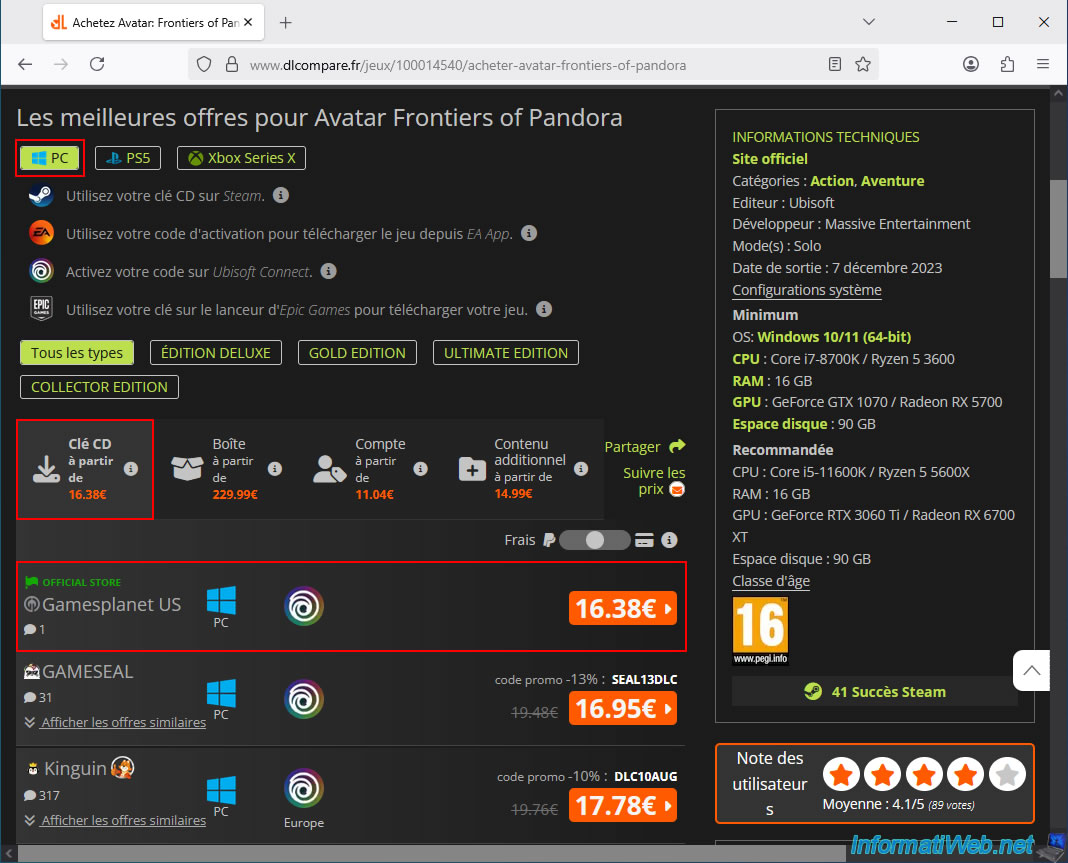
To buy a PC game for less, the best option is to purchase the "CD Key" version.
In other words, you'll simply receive a unique serial number to activate the game on the platform specified in the offer.
In this case, the CD key for Avatar: Frontiers of Pandora can be activated on the "Ubisoft Connect" platform (formerly Uplay).
Currently, in 2025, the cheapest offer for Avatar: Frontiers of Pandora is only €16.38 (for the standard edition in this case).
However, the standard edition currently costs €69.99.
In our case, we preferred to buy the Deluxe Edition of this game, as it's a game for which we prefer to buy a special edition rather than the standard one.
But it remains a personal choice.
To do this, we click on the "Deluxe Edition" button at the top of the list of offers.
As you can see, the "Deluxe" Edition of Avatar: Frontiers of Pandora costs only €18.97 through the English version of Gamesplanet (Gamesplanet US).
Important : if the price comparison tool "dLcompare" (via the "dlcompare.fr" domain we are currently using) shows you partners in other languages (as in this case with "Gamesplanet US"), it means you should be able to activate this game in your country (France, Belgium, ...).
The aim is to be able to take advantage of the promotion which is on another language of the partner site (merchant site) or to prefer payment in dollars which may be advantageous compared to payment in euros.
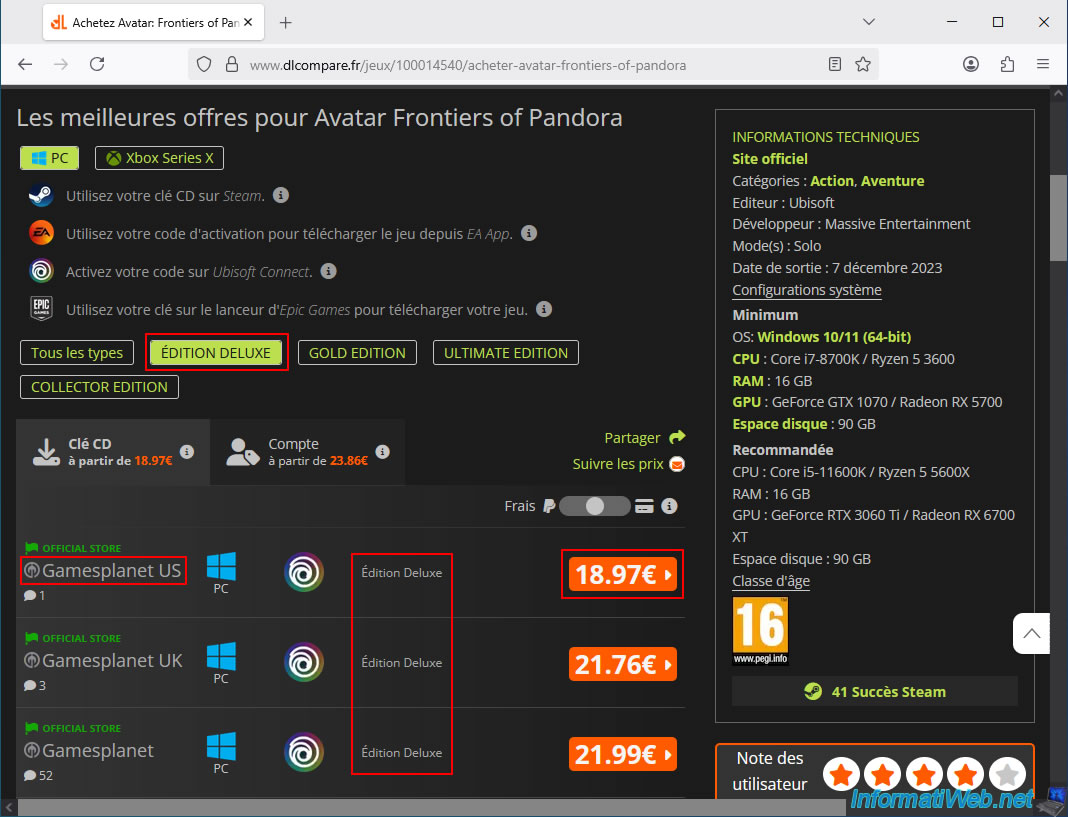
To ensure you choose the best offer, it's helpful to use the small selector in the top right corner of the list to include fees for PayPal (left) or credit cards (right).
In the case of "Gamesplanet," this doesn't seem to make any difference. However, it depends on the retailers listed.
Click the orange button for the offer you want.
In our case, it's the "Gamesplanet US" offer with a price of only €18.97.
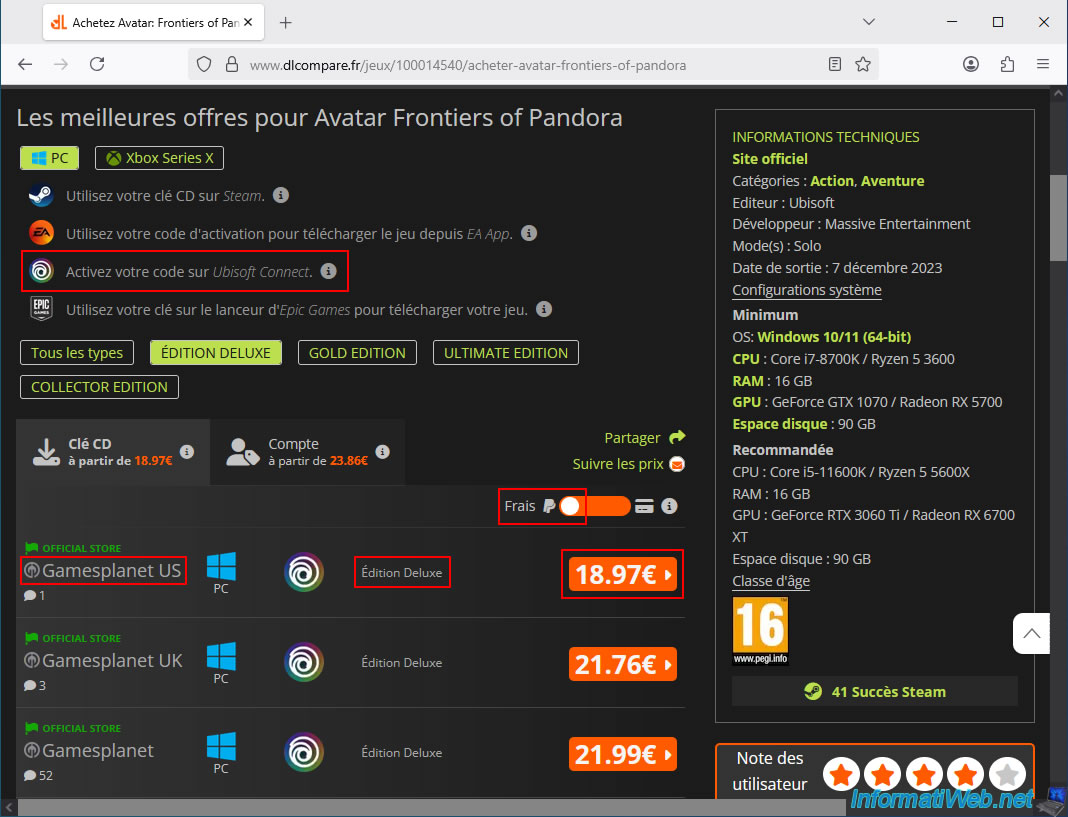
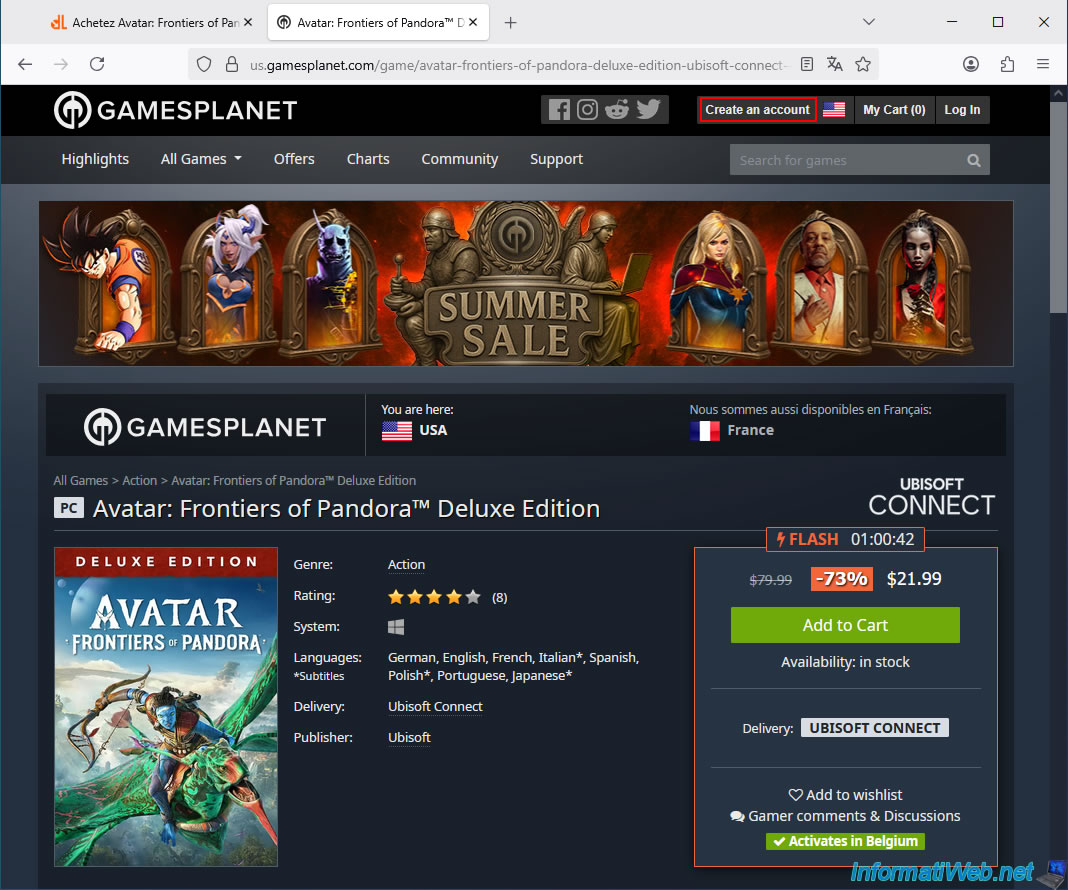
You arrive at the English (US) version of Gamesplanet, and the price is obviously displayed in dollars ($).
As you can see, the price is $21.99 (which is equivalent to €19.03 today).
Gamesplanet indicates that this is a 73% discount on the official price of $79.99 (for the Deluxe Edition).
Important : check that your language is listed in the game's language options. In our case, we can see that French and English are among the available languages for this game. Therefore, purchasing this game on the English version of Gamesplanet will not prevent you from playing it in French if you wish.
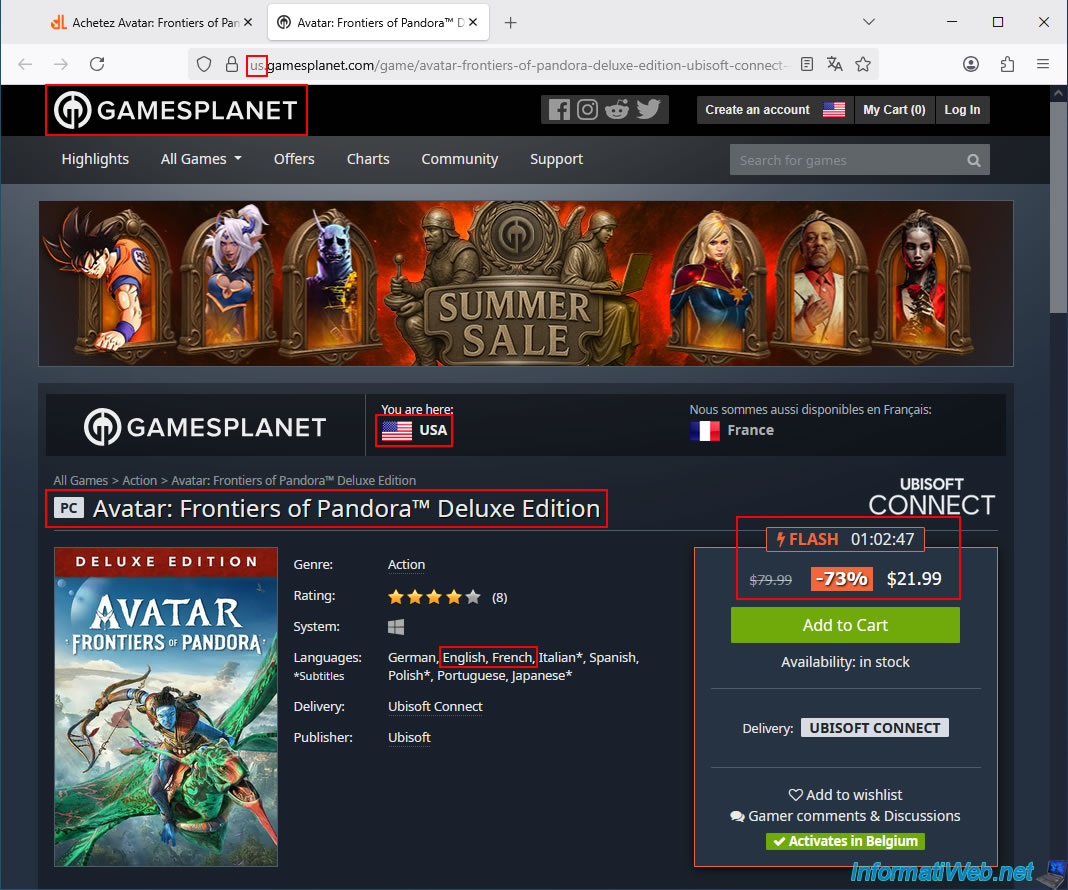
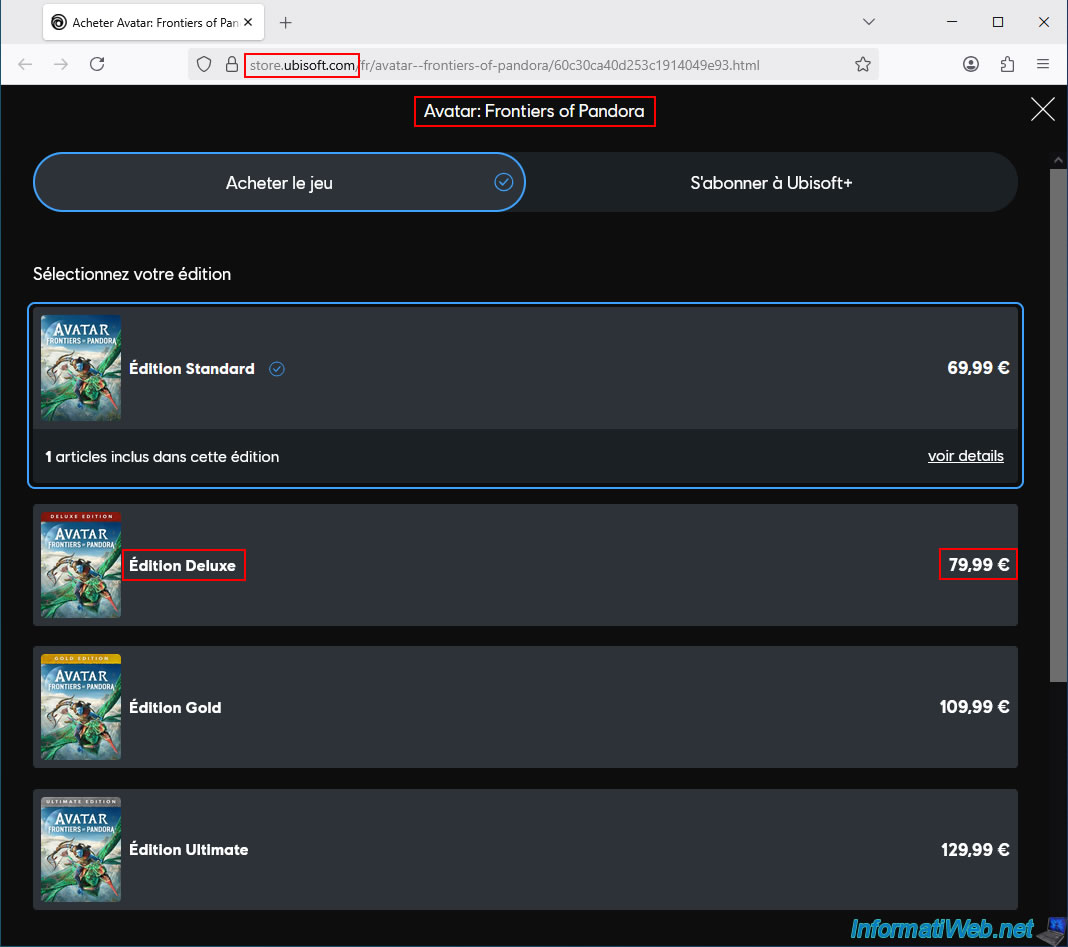
Currently, on Ubisoft's website (where this game can be activated by purchasing it on Gamesplanet), you can see that "Avatar: Frontiers of Pandora" is available starting at €69.99.
This is significantly more expensive than the temporary Gamesplanet promotion shown above.
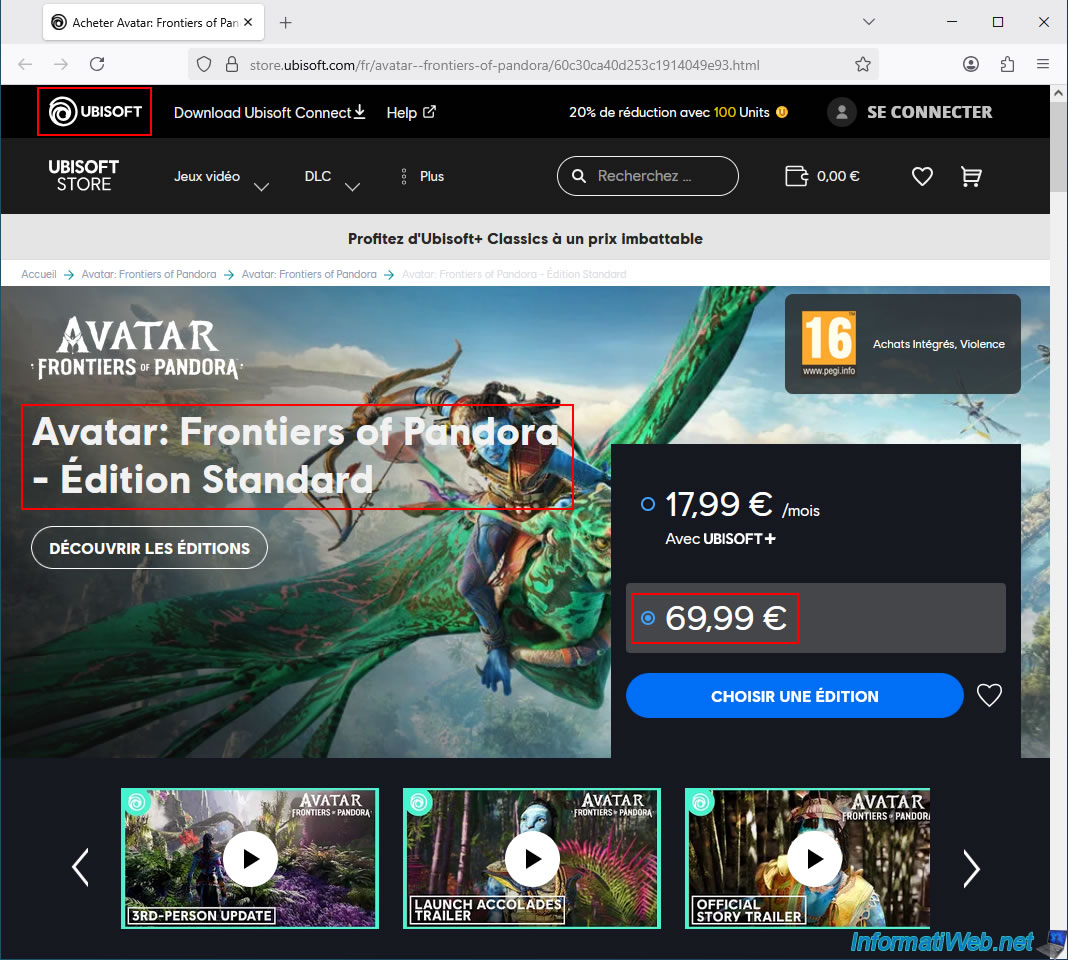
More specifically, by clicking on the "Choose an edition" button, you can see that the current price of the Deluxe edition we want to buy is €79.99.
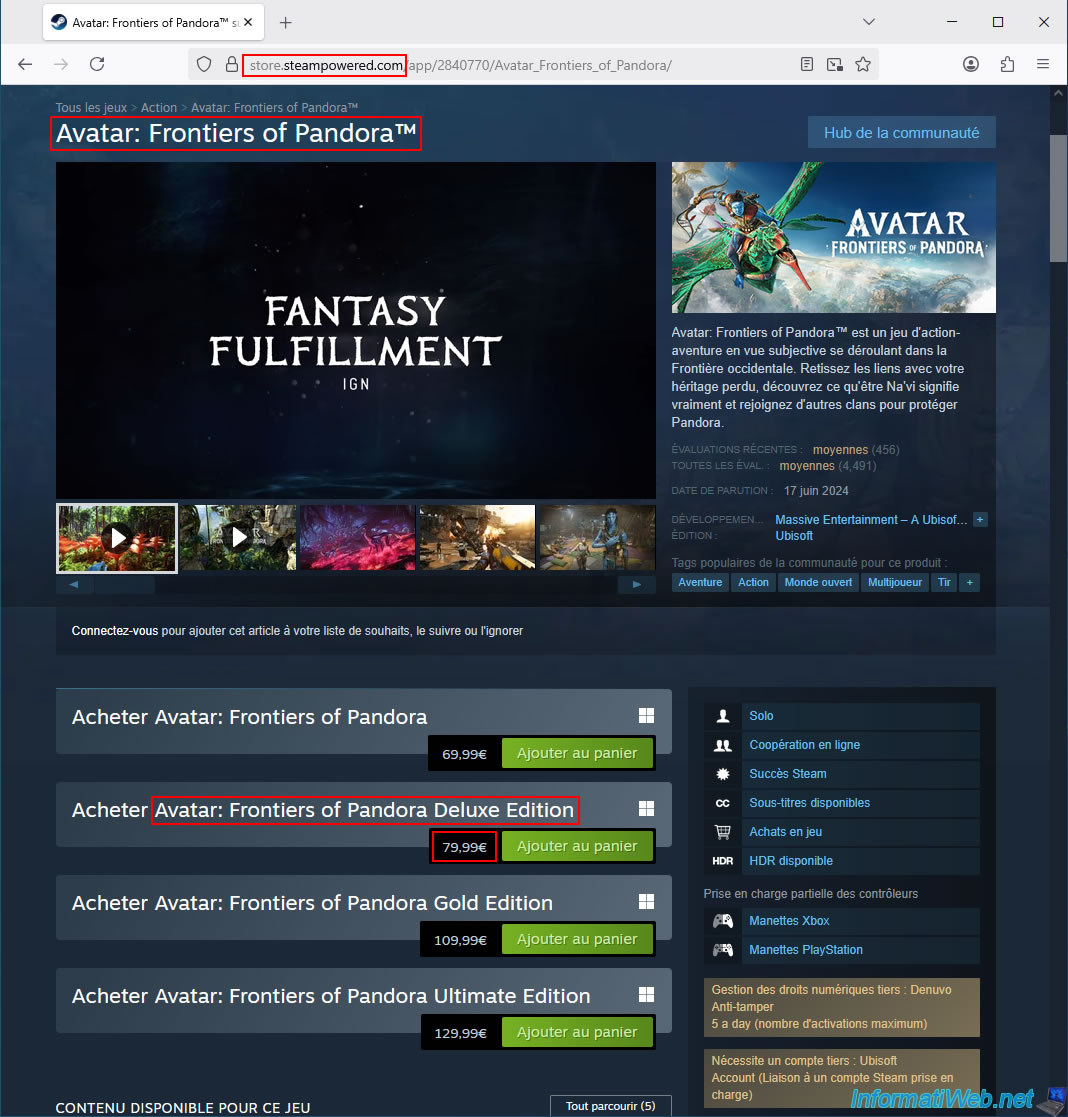
Finally, on Steam, which is the reference platform for buying and downloading your video games, you can see that the current prices are again €69.99 for the Standard edition and €79.99 for the Deluxe edition.
2. Sign up on Gamesplanet (US)
To register on Gamesplanet (US), click on the "Create an account" button located in the top right corner.
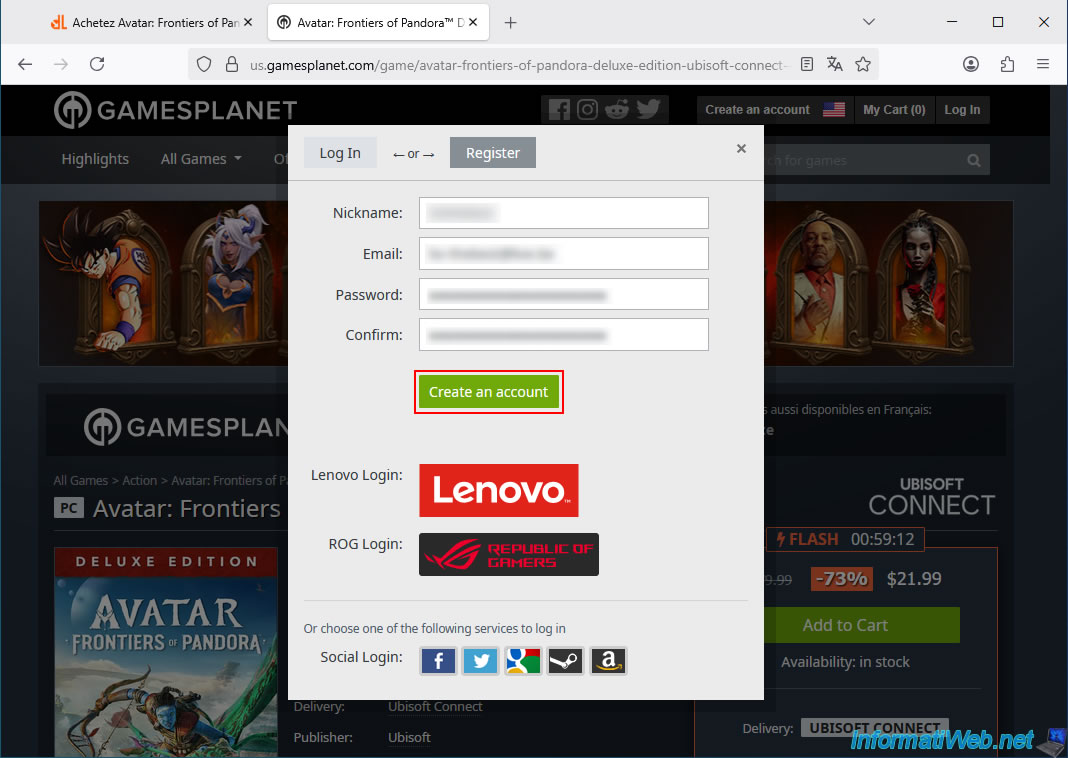
Complete the registration form (Register) by indicating:
- Nickname: a username.
- Email: your email address.
- Password / Confirm: a password to protect your Gamesplanet account.
Next, click the "Create an account" button.
Important : for Gamesplanet, if you wish to pay via PayPal, it is recommended that you use the same email address for both your Gamesplanet and PayPal accounts.
Otherwise, the order will be placed on hold after payment, and you will need to click a confirmation link sent directly to your email address to verify that the other email address also belongs to you.
Note that the confirmation link is sent instantly after the order (if you are in the situation described here), and clicking this link will immediately release your order.
Warning : as you can see, Gamesplanet is telling you that your email address is not confirmed.
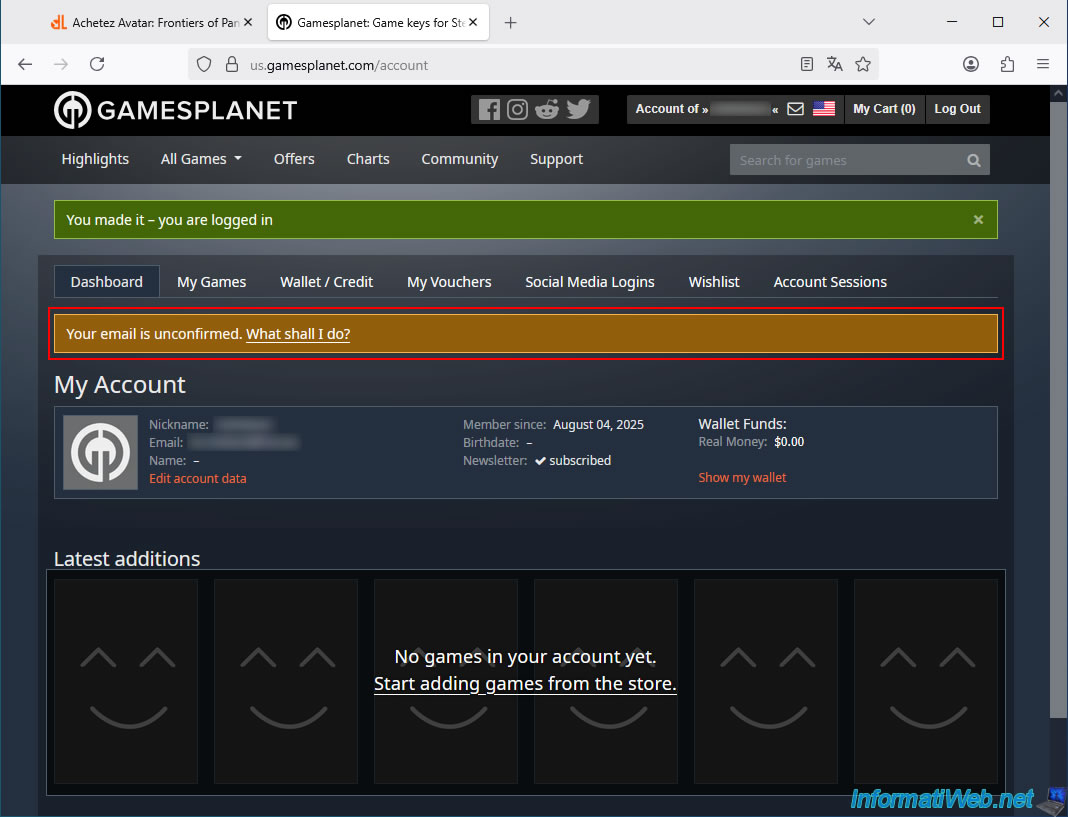
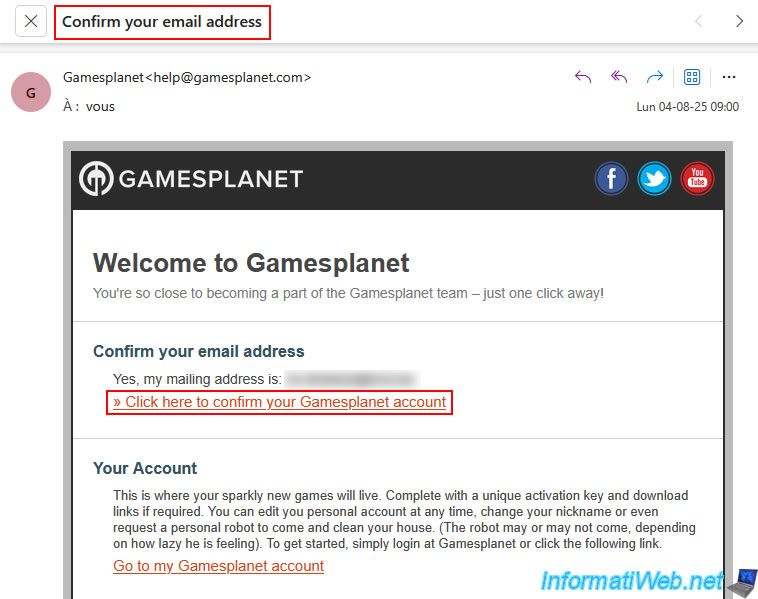
To resolve this issue, simply go to your email address and open the "Confirm your email address" email you received.
In this email, click the link "Click here to confirm your Gamesplanet account".
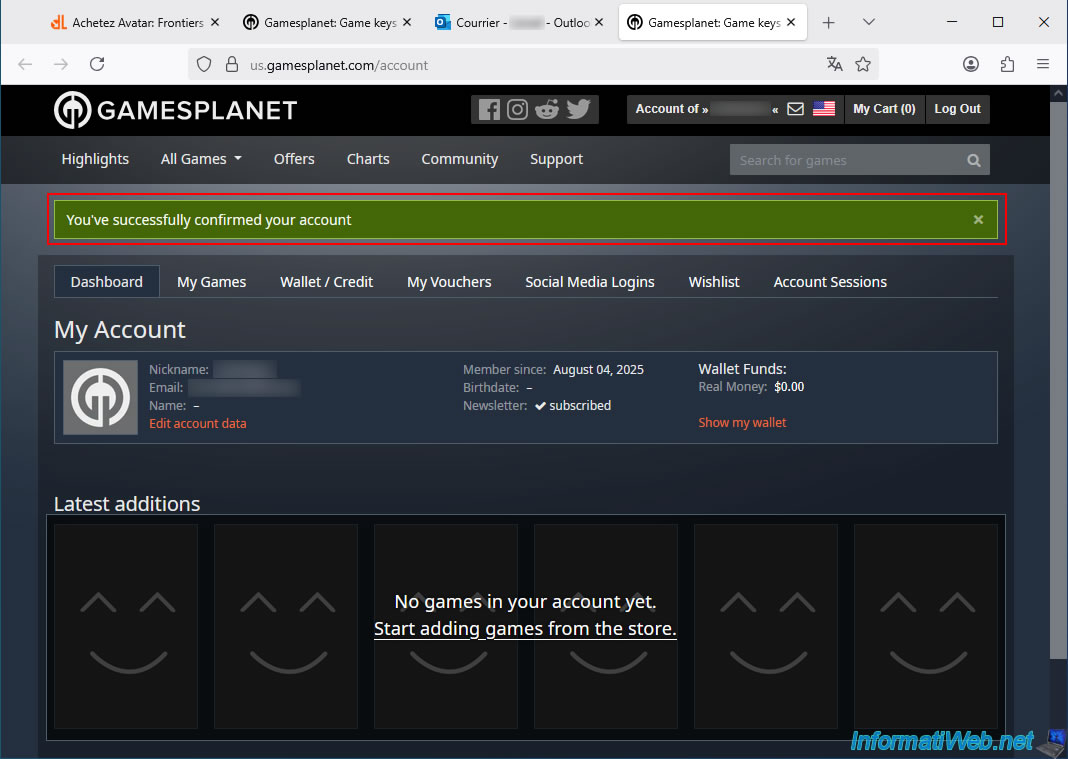
You will arrive at the Gamesplanet website where a message "You've successfully confirmed your account" will appear.
Share this tutorial
To see also
-

Good deals 3/10/2025
Cashbacks - Save money on your purchases at MediaMarkt (with Familycard)
-
Good deals 11/16/2026
dLcompare - Buy a game for less at K4G
-
Good deals 11/9/2026
dLcompare - Buy a game for less at Kinguin
-

Good deals 11/2/2026
dLcompare - Price comparison website for gamers
You must be logged in to post a comment