- Good deals
- 09 November 2026 at 09:09 UTC
-

- 1/6
Thanks to the price comparison site "dlcompare", its partner "Kinguin" and the cashback site "Familycard", make great savings on your purchases of video games (in digital version).
- Find the cheapest price for a video game using the dLcompare price comparison tool
- Get a cashback of 1.25% to 2.5% on your Kinguin purchase with Familycard (Belgium only)
- Activate the game's CD key on Steam to add it to your library
- View the CD keys purchased on Kinguin
- Cashback for purchases at Kinguin visible on Familycard
- Download and install your official game via Steam
1. Find the cheapest price for a video game using the dLcompare price comparison tool
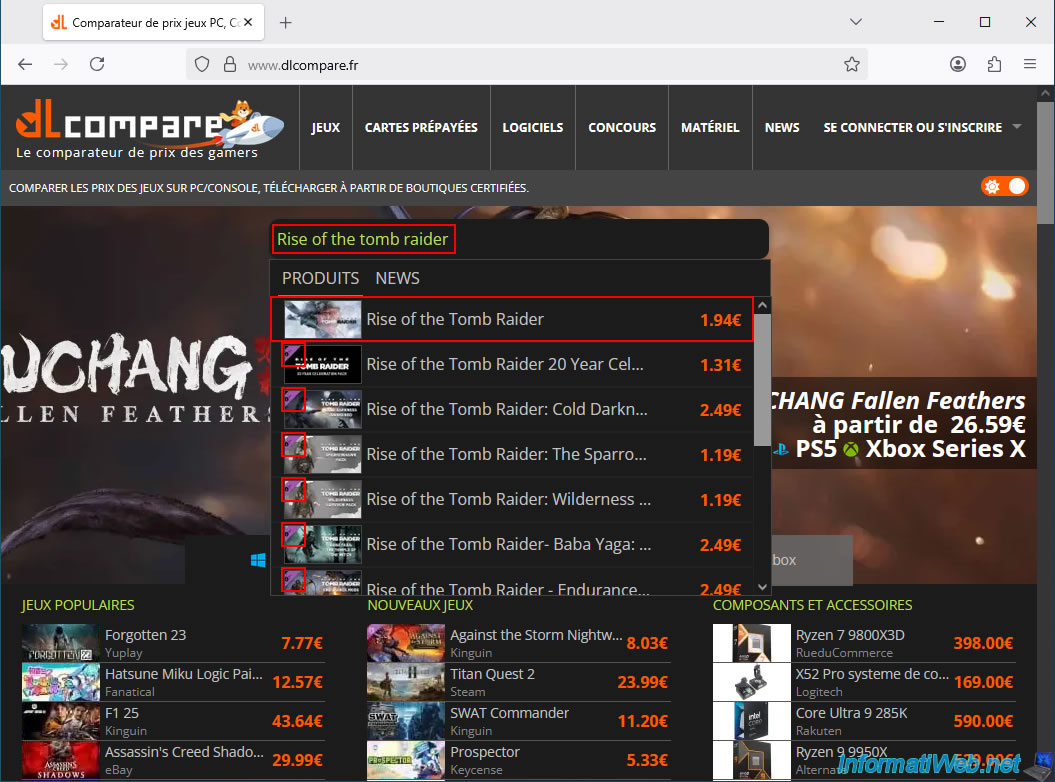
Access the "dLcompare" price comparison tool and type the name of the video game you want to buy for less into the search bar at the top of this page.
In our case, the game is Rise of the Tomb Raider.
Note: this price comparison tool displays matching video games, as well as any DLCs (downloadable content/additional content) for the game you're looking for (if available).
So, click on the game's name (if it appears) or press "Enter" to display the full search results page.
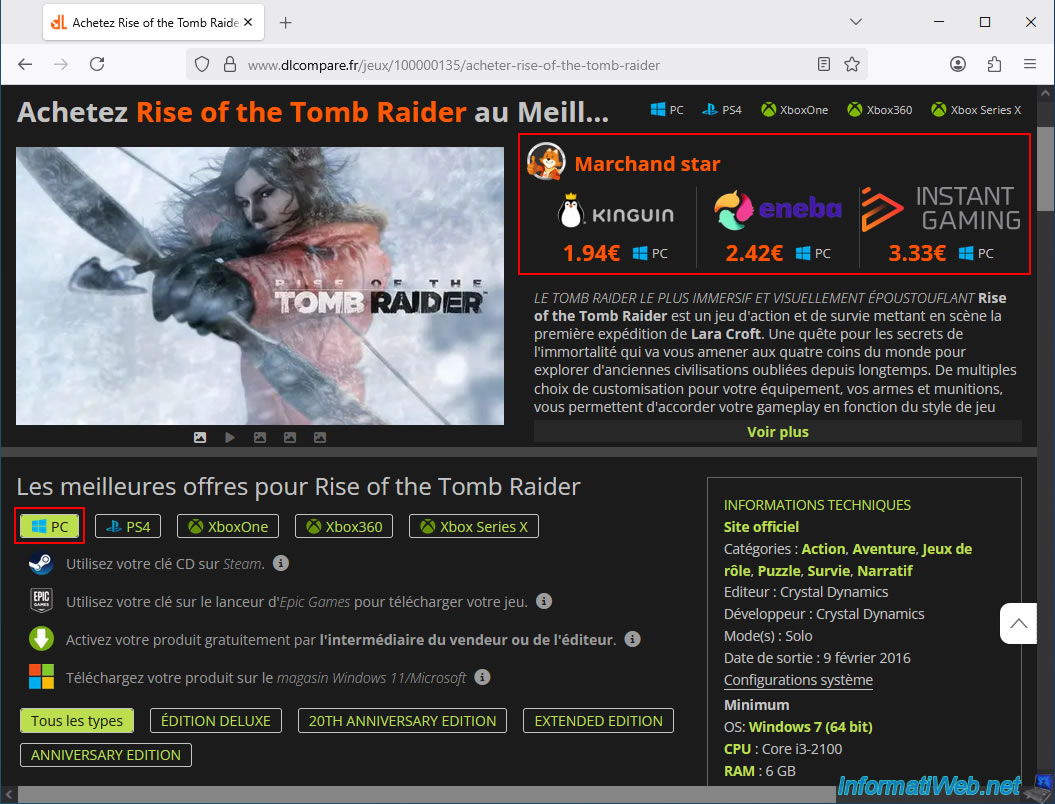
On the "Buy [video game name] at the Best Price" page, you'll see that this price comparison tool displays several top retailers in the top right corner.
These are the offers and retailers that this comparison tool recommends to help you avoid any unpleasant surprises.
In fact, these are retailers that this comparison tool has been working with for over 6 months (which is a guarantee of quality).
On this page, select your preferred platform: PC, PS4, Xbox One, ... In our case, we want to buy this video game on PC.
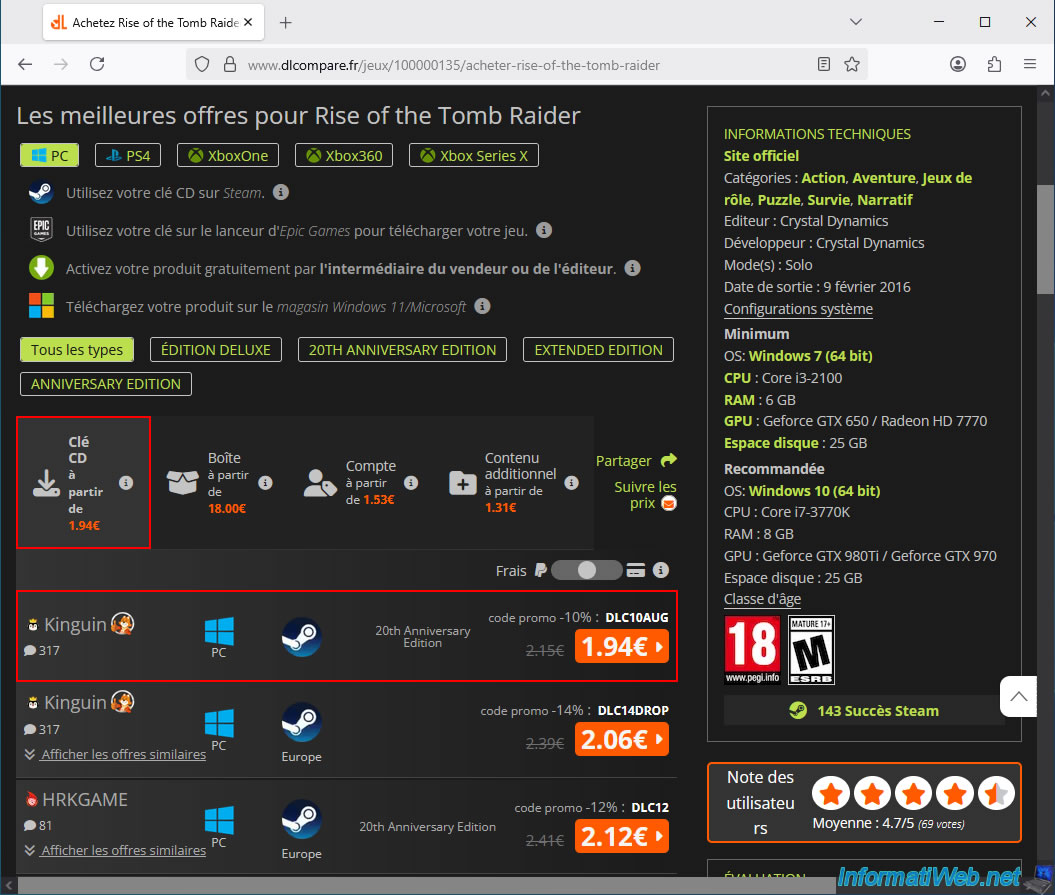
For PC games, the cheapest way to get them is to buy a CD key for the game you want.
In this case, you make the payment on the chosen retailer's website (depending on the offer selected) and you simply receive the CD key (serial number) for the game by email or you can find it in your account on the retailer's website.
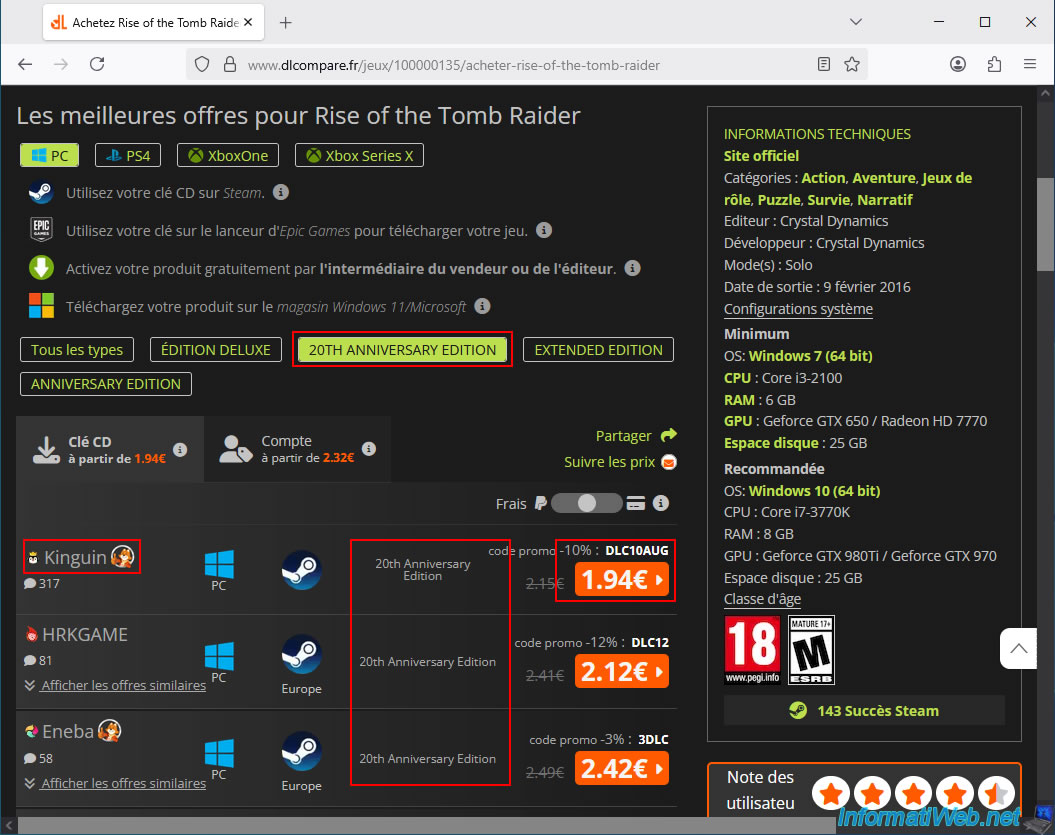
In our case, today we can buy the game "Rise of the Tomb Raider" for only €1.94 from the retailer "Kinguin" (using the promo code "DLC10AUG" provided for this offer).
Furthermore, you can see the red icon with the little person, which indicates that it's a featured retailer (which proves their reliability, as explained above).
Note: the boxed version is necessarily more expensive, because there is the box, the game installation DVD and of course the delivery costs to send it physically to your home (or to a relay point, if applicable).
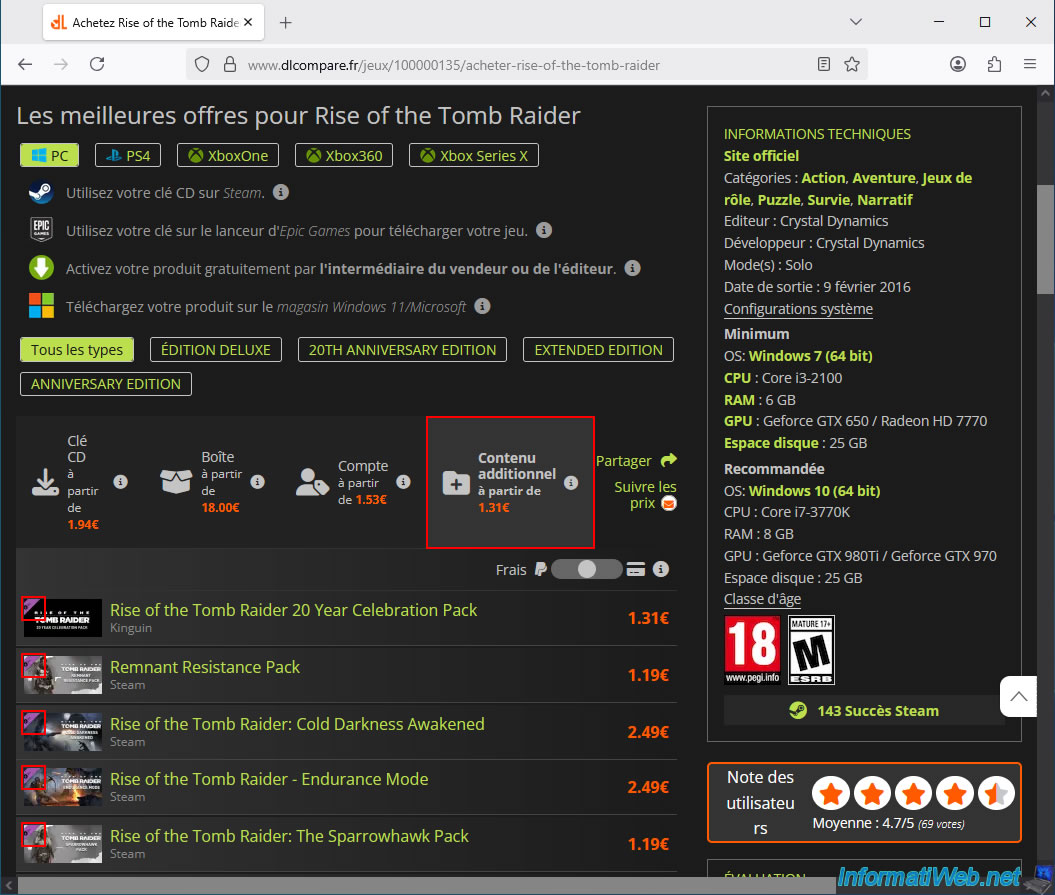
If you're only looking for additional content for a video game, then go to the "Additional Content" (DLC) tab on the game's page.
Important : the base game is required to use additional content.
Therefore, you must also own (or purchase) the base game before you can access the desired additional content.
To purchase a special edition of a game, click on the name of the desired edition (at the top of the list).
In our case, we chose the "20th Anniversary Edition" of the video game "Rise of the Tomb Raider."
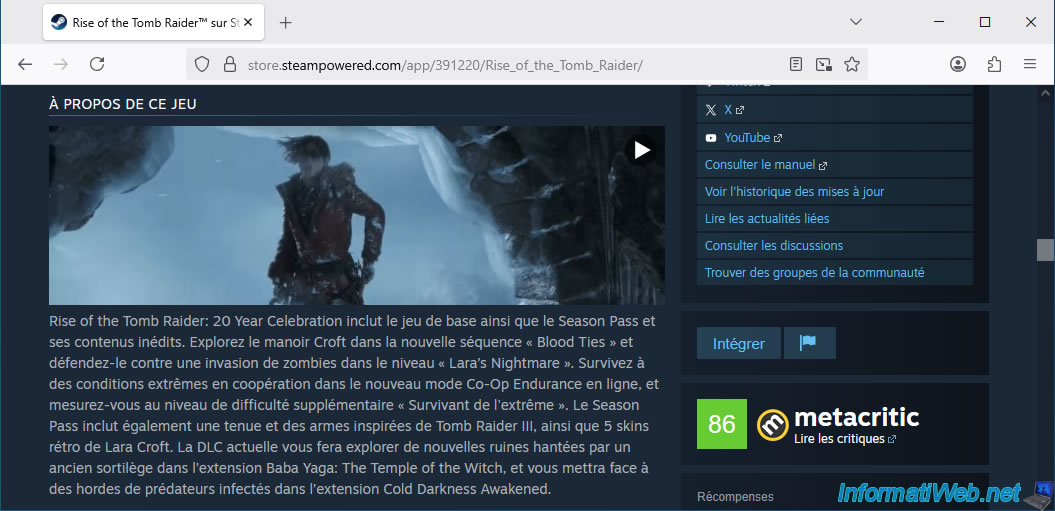
This means you are buying the base game with some bonus features already included.
To find out the contents of a special edition of a video game, go to the Steam website and search for the name of your video game.
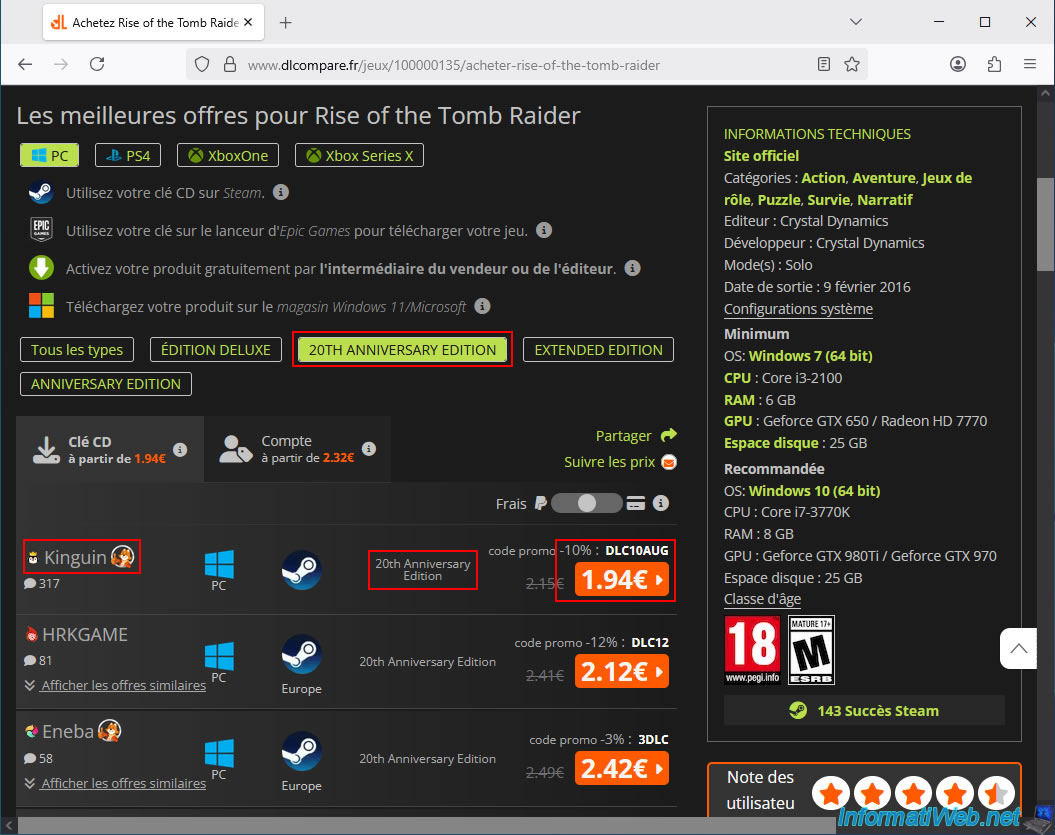
Choose the offer you prefer (in our case: the cheapest one for the desired game as a CD key).
For this tutorial, we'll choose Kinguin's offer of just €1.94 for the "20th Anniversary Edition" of "Rise of the Tomb Raider," the game we want to buy.
Important : you can see that there's currently a "-10%" discount code, "DCL10AUG," for this retailer, "Kinguin."
It's important to know that the price shown on the orange button already includes this discount code.
So, make sure this discount code is applied on the chosen retailer's website before making your payment (when you reach that step).
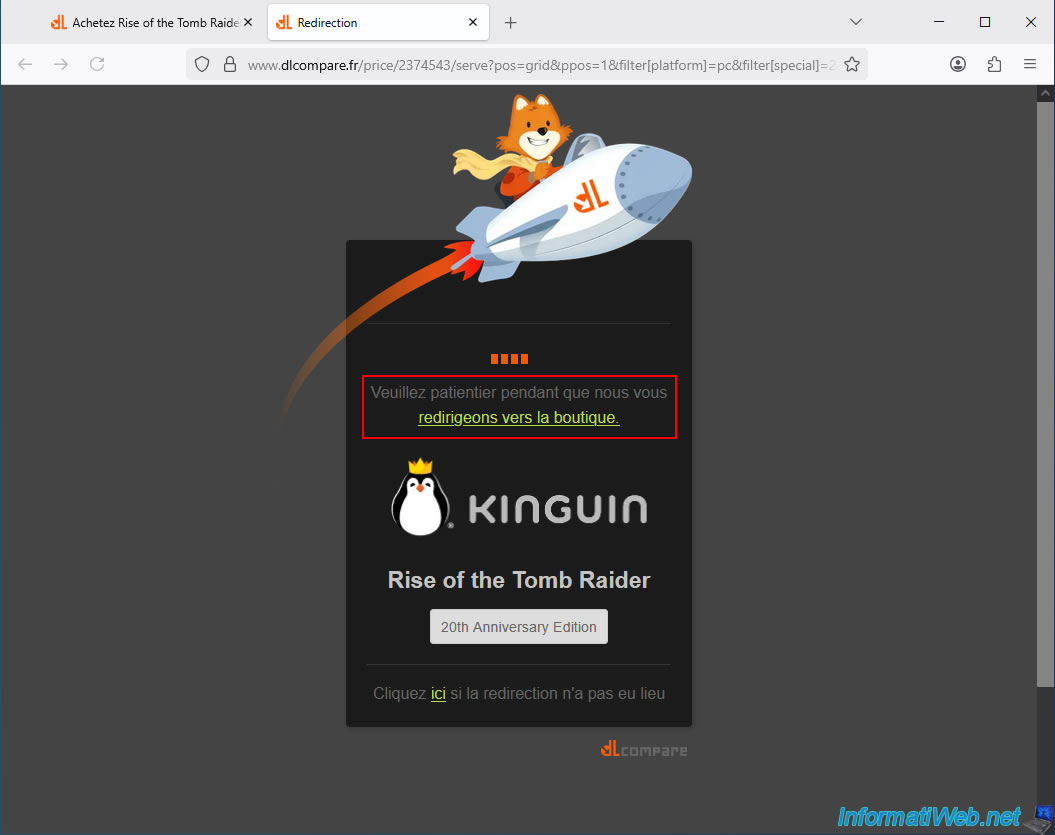
A redirect page will appear for a few seconds.
Do not click anything and wait until you reach the desired online store.
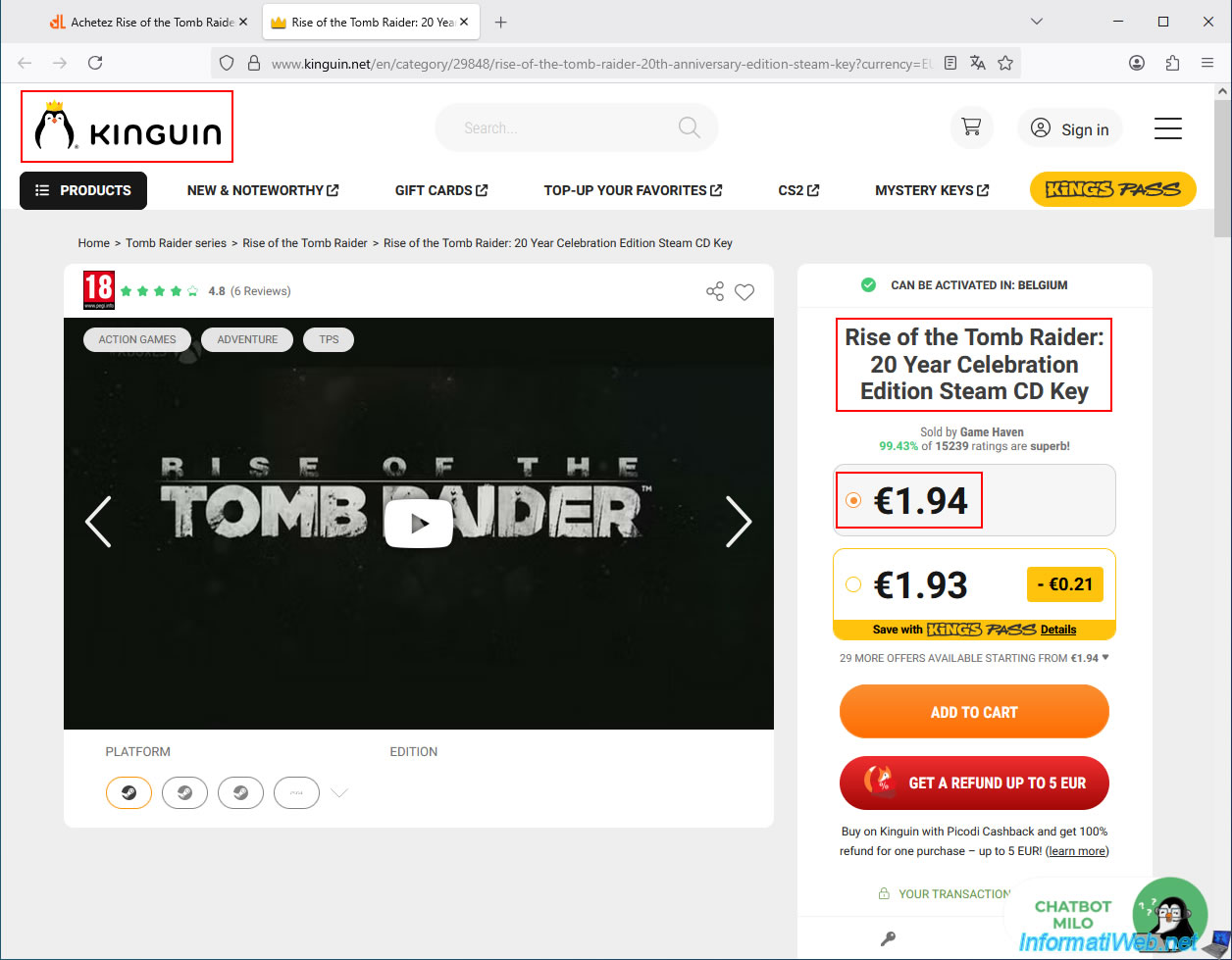
In this case, the Kinguin website appears, and as expected, it's a CD key for the "20th Anniversary Edition" of the game "Rise of the Tomb Raider" (Rise of the Tomb Raider: 20 Year Celebration Edition Steam CD Key).
The displayed price (thanks to the redirection from the price comparison site "dLcompare") is indeed €1.94.
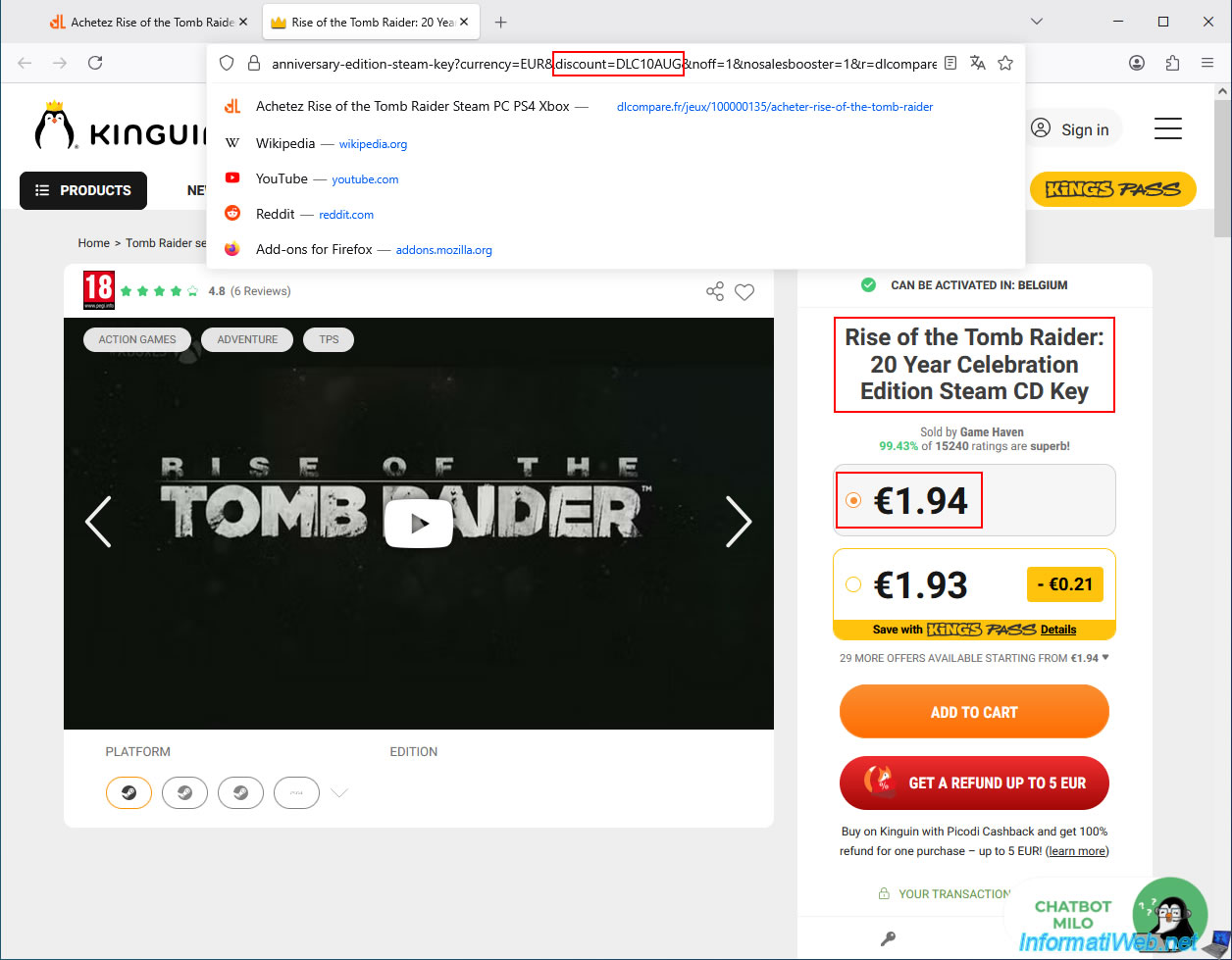
This price is €1.94 on this page only because the price comparison site "dLompare" added the discount code "DLC10AUG" (discounted previously) to the Kinguin page address.
Otherwise, you would simply need to enter the discount code yourself in your shopping cart (before payment).
Important : Note the name of the offer you are viewing (or copy and paste it somewhere, for example, into Notepad).
You will need it later to return to this page.
In our case, the offer name is "Rise of the Tomb Raider: 20 Year Celebration Edition Steam CD Key".
Just for comparison, we searched for the same game on the Steam website (where this official CD key will be valid in this case).
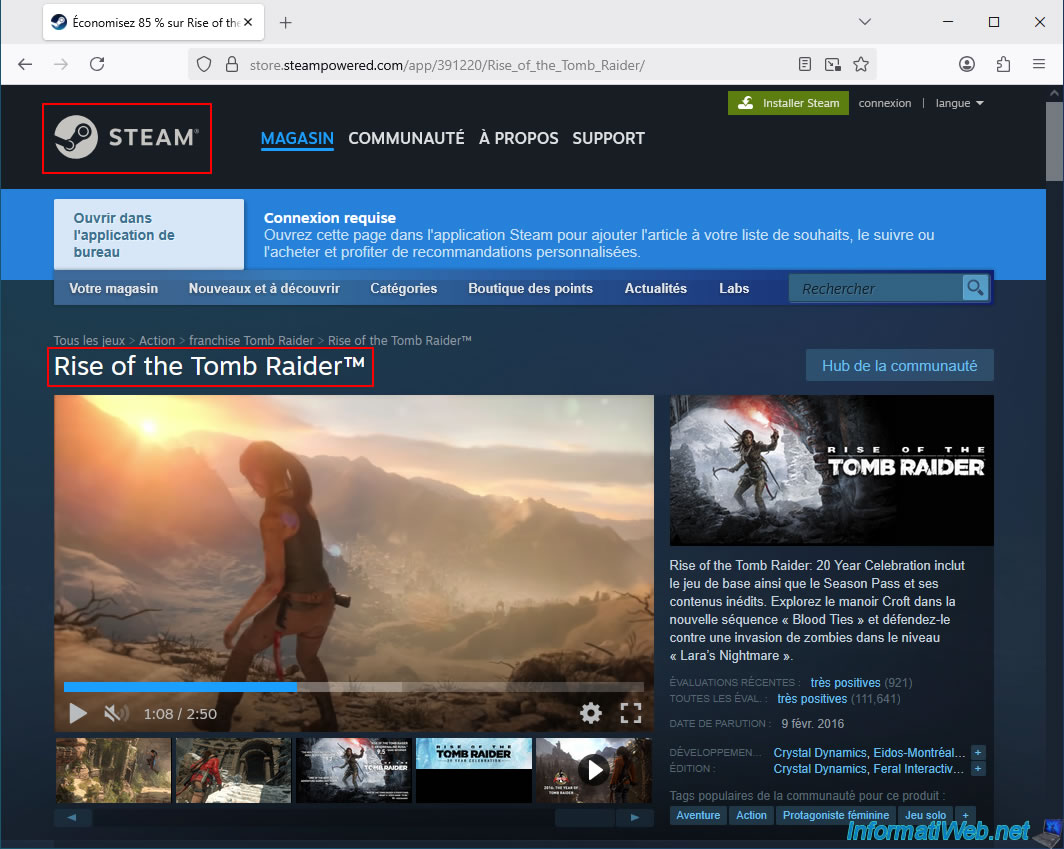
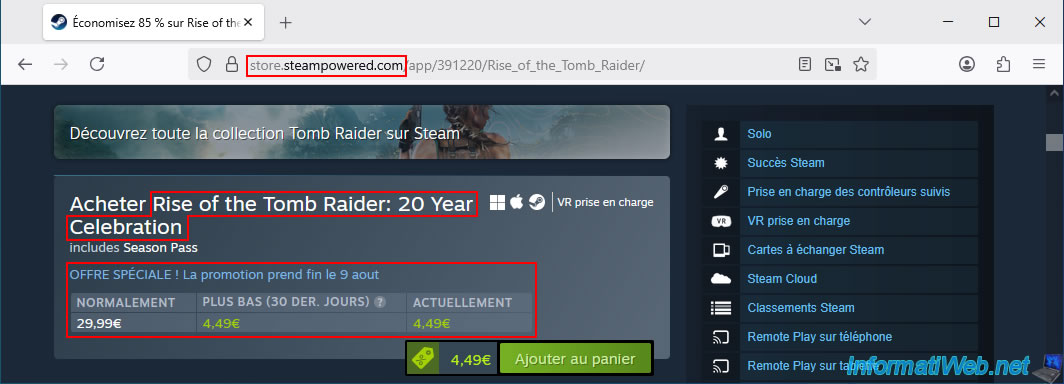
As you can see, Steam is currently offering a special deal that lets you buy the same 20 Year Celebration edition of this game (directly on Steam) for €4.49.
However, Kinguin is offering the same edition for just €1.94, and the key will also be valid on Steam.
You can therefore take advantage of Kinguin's best price with the power and security of Steam (official, fast, and stable download, Steam achievement unlocking, ...).
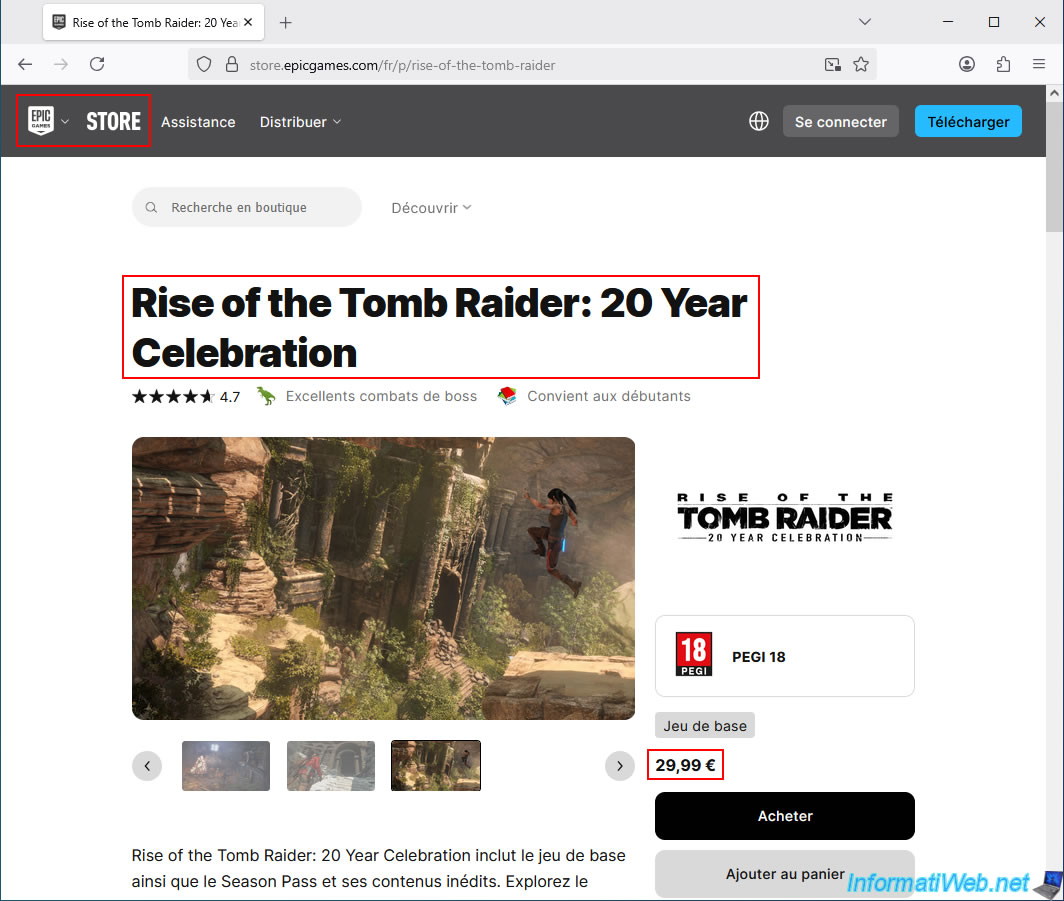
For comparison, on the same day, the Epic Games Store (another official and well-known store) offers the same edition of this game for €29.99 (which is significantly more expensive, but this remains the official price without promotion).
2. Get a cashback of 1.25% to 2.5% on your Kinguin purchase with Familycard (Belgium only)
Although Kinguin is currently offering this game for only €1.94, if you live in Belgium, you can still get a few cents back (between 1.25% and 2.5%) on the price you pay at Kinguin.
To do this, simply register on the Familycard website (Belgium).
But first, you'll need to clear your browser's cookies and cache (to avoid any issues with Familycard and ensure you receive your cashback through this site).
Important : this site is only for Belgium.
If you are in another country, please skip the Familycard instructions and go directly to step "2.3" of this tutorial.
2.1. Clear the cookies and cache of your web browser (Mozilla Firefox)
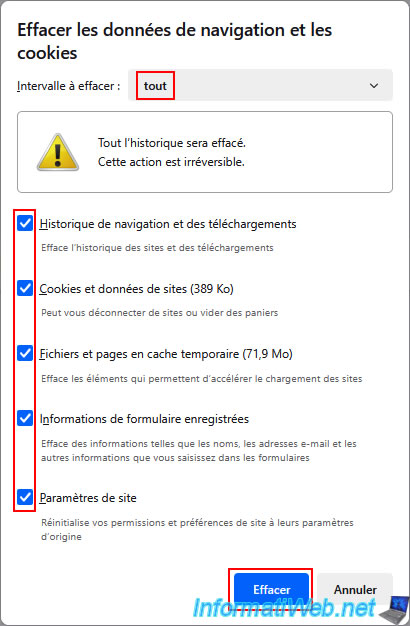
To clear cookies and cache from your "Mozilla Firefox" web browser, go to the menu, then click on "History".
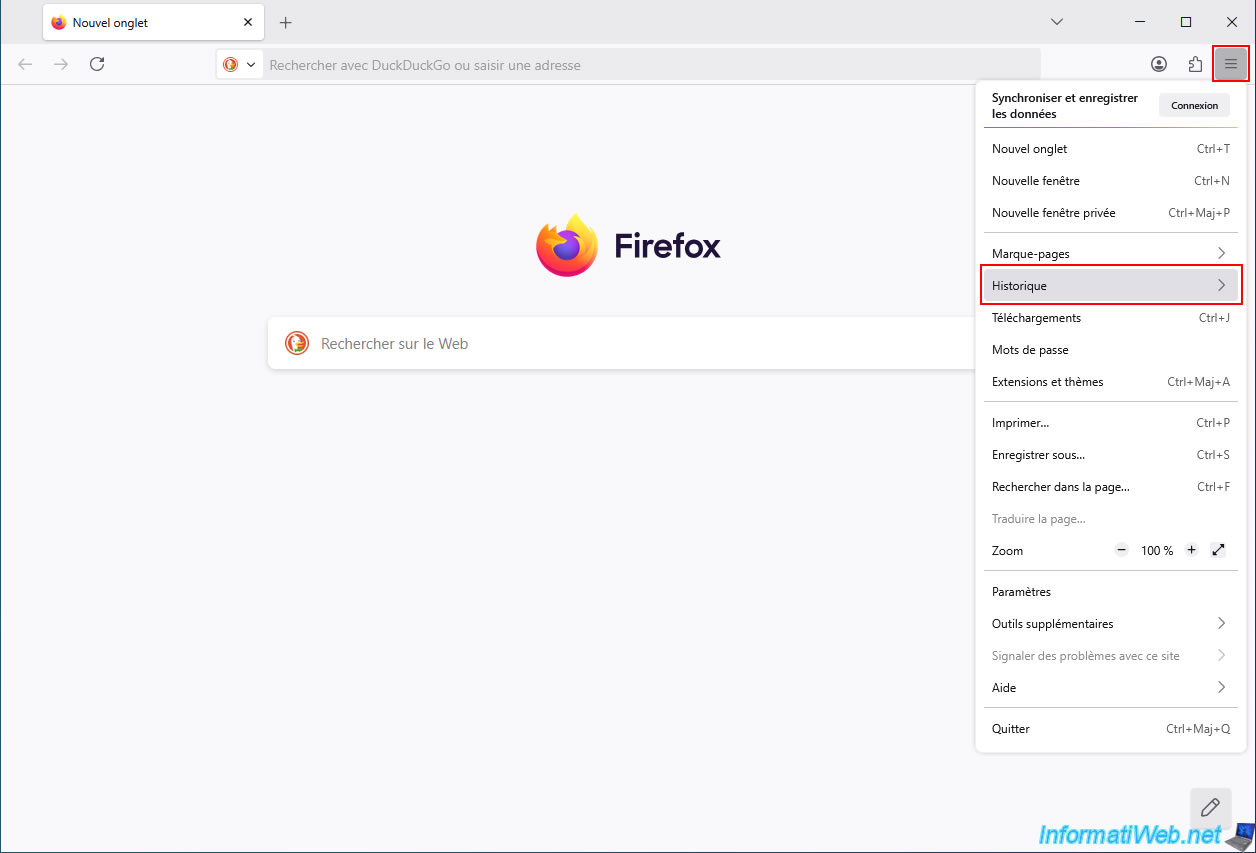
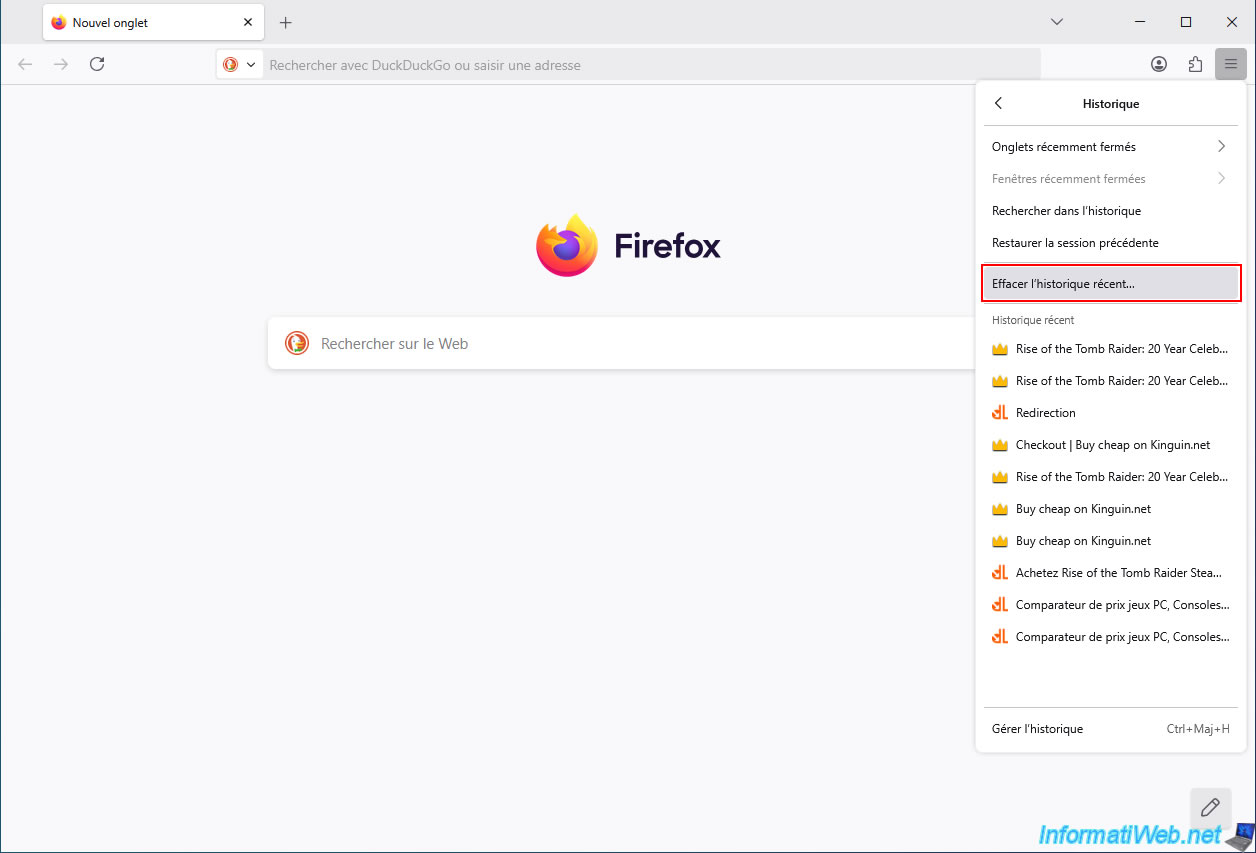
Next, click "Clear Recent History".
Note: if the menu bar is displayed at the top of the Mozilla Firefox window, simply click "History -> Clear Recent History".
Next, select "Time range to clear: all" and check all the boxes (regardless of their names).
Then, click "Clear".
Important : make sure you configure your web browser to allow tracking.
Otherwise, Familycard may not detect your order with the partner (in this case: Kinguin), and you will therefore not receive cashback for your Kinguin purchase.
To resolve this issue, refer to step "1. Allow tracking in your web browser" of our tutorial on using the Familycard cashback site with MediaMarkt.
Share this tutorial
To see also
-

Good deals 3/10/2025
Cashbacks - Save money on your purchases at MediaMarkt (with Familycard)
-

Good deals 11/2/2026
dLcompare - Price comparison website for gamers
You must be logged in to post a comment