Buy your video games for less thanks to the dLcompare price comparison website (for gamers)
- Good deals
- 02 November 2026 at 14:33 UTC
-

- 2/7
3. Buy your games cheaper thanks to dLcompare
3.1. Buy your games at the best price thanks to dLcompare's offers
To buy video games at the lowest price, first go to the "Games" section of this comparison site.
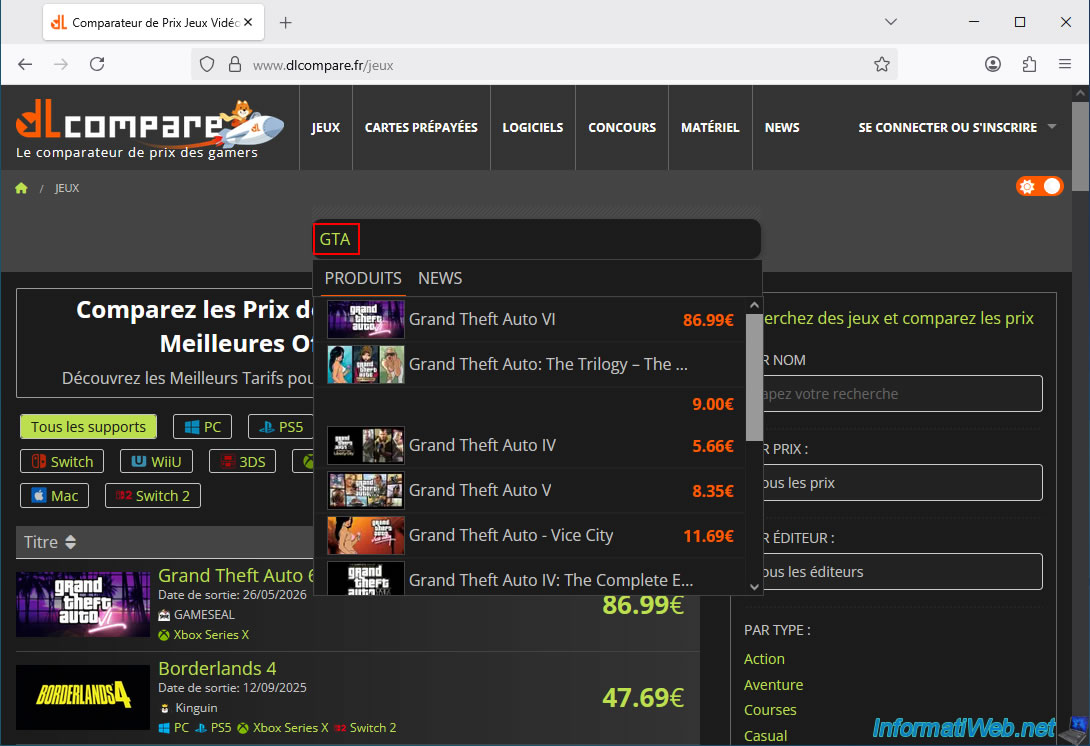
Then, type the name of the game you're looking for and press Enter (or click on the desired result if it already appears).
In our case, we're looking at GTA games (because they're very popular).
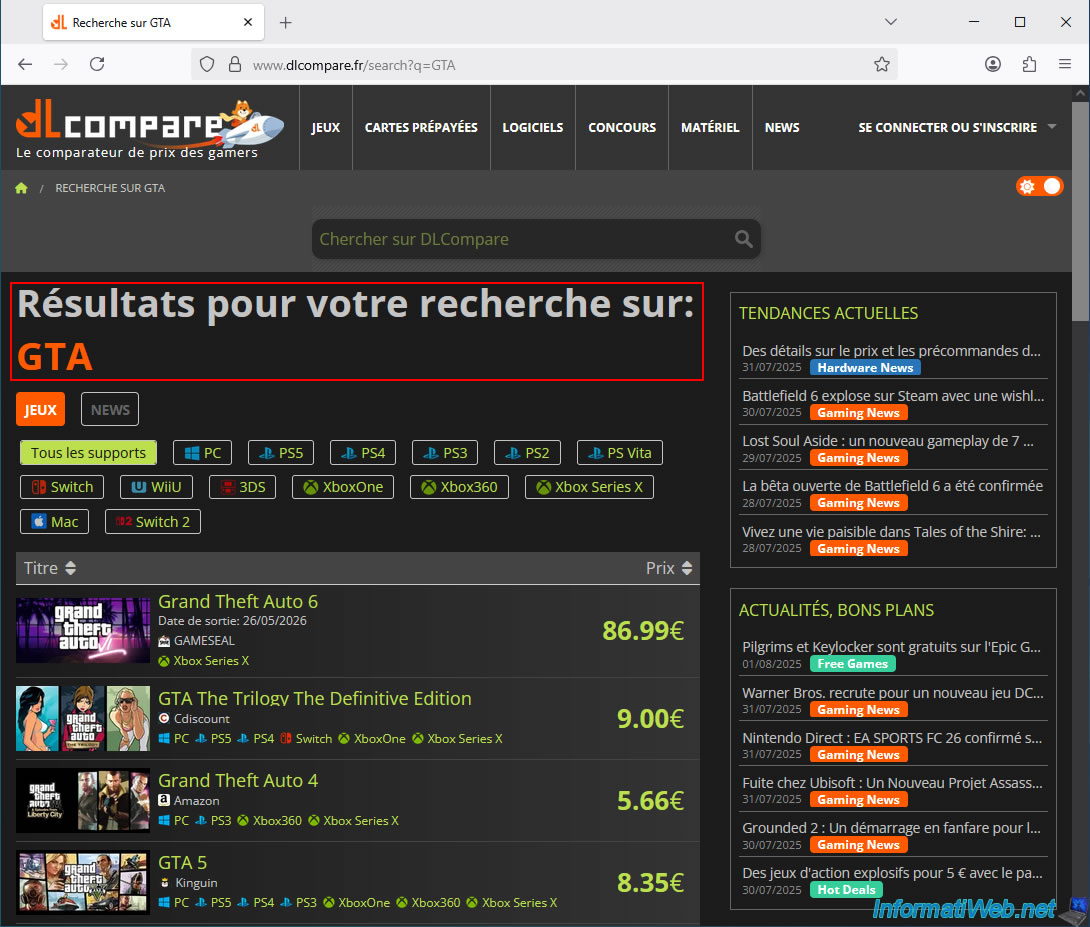
A page with the search results for what you typed appears.
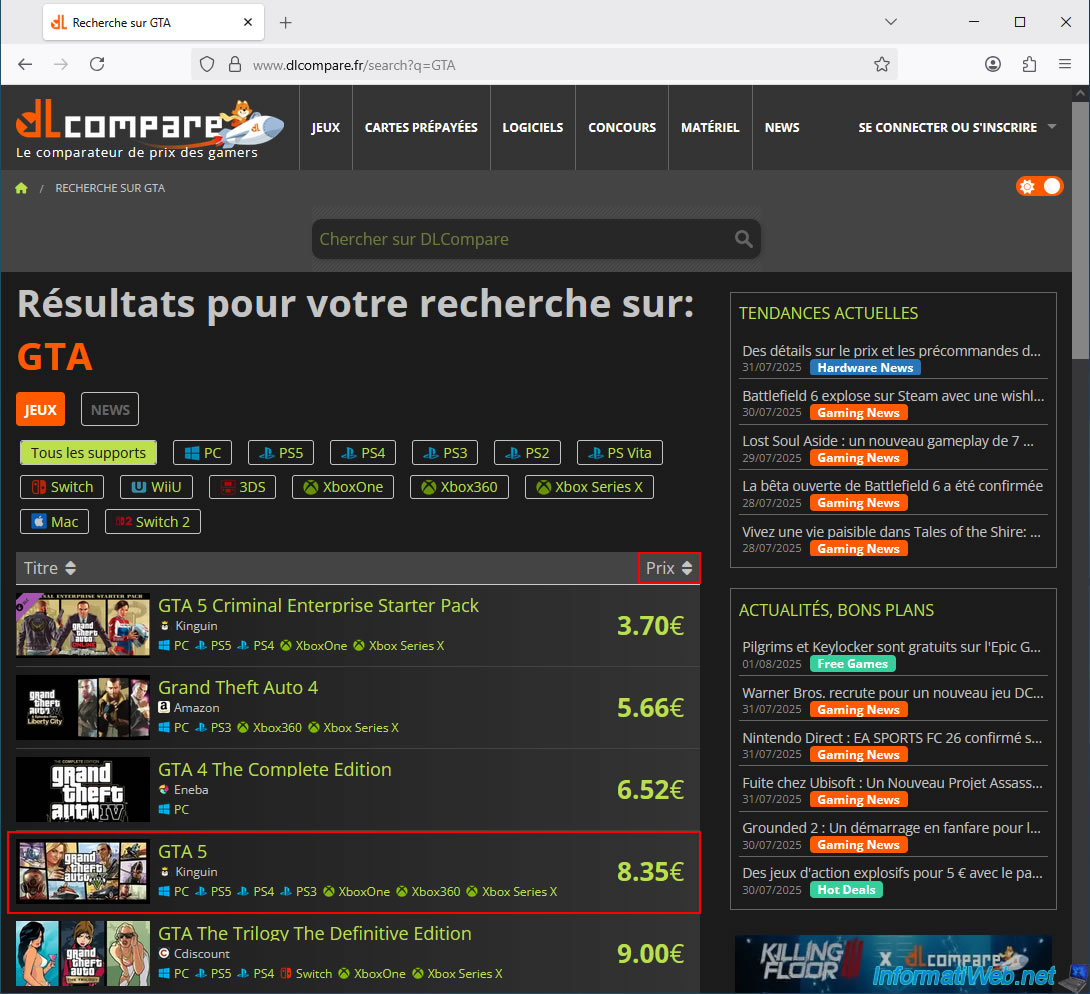
By sorting the list by price, you can see the cheapest games for your search.
As you can see, thanks to dLcompare, you can get GTA 4 or GTA 5 for less than €10.
In our case, we'll start by using GTA 5 as an example.
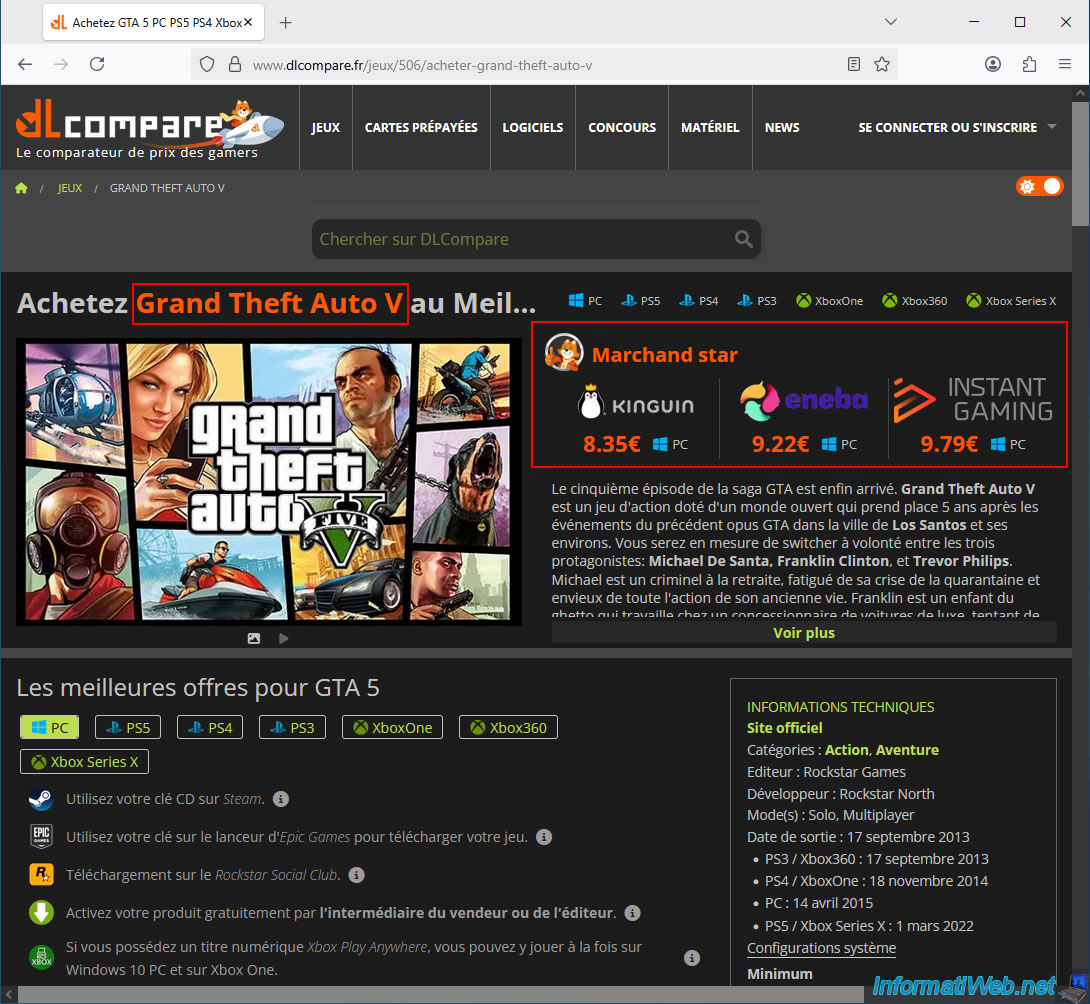
The "Buy Grand Theft Auto V at the Best Price" page appears featuring several top retailers.
In other words, these are the partners that dLcompare trusts most and therefore recommends directly at the top of this page for your chosen game.
A little further down, you'll see a section titled "Best Deals for GTA 5," and by default, "PC" is selected.
Therefore, all the deals displayed below will be for the PC version of the game. However, you can select your console to see deals for your specific console (PS5, PS4, Xbox One, ...).
Further down, you'll see that the "All Types" option is selected by default.
This allows you to find the lowest price for the game regardless of the edition.
However, if this is one of your favorite games and you want to buy a special edition, you can click on the desired edition to instantly find the best deal for that edition.
Important : the best deal is usually the cheapest one listed under the "CD Key" tab. Indeed, this is the digital version of the game.
This is therefore inevitably cheaper than a boxed version, where the physical media and shipping costs would unnecessarily and significantly increase the price at present.
Regarding the "Account" tab, I advise against it for several reasons (account blocking or other problems, as we will explain later in this article).
Experience (08/2025): In our case, we always choose the cheapest "CD Key" offer on the list and always pay via PayPal (to avoid the unwanted charges you might encounter later with VISA, MasterCard, ...).
So far, we haven't had any problems. The CD key has always been valid, and we have, of course, always activated it on the official target platform (Steam, Uplay, ...) immediately after purchase.
Moreover, you will see proof of our purchases in future tutorials (for example, you will be able to see us ordering a CD key from some of dLcompare's partners (depending on the games we bought cheaply and the offers that were available on this comparator at that time)).
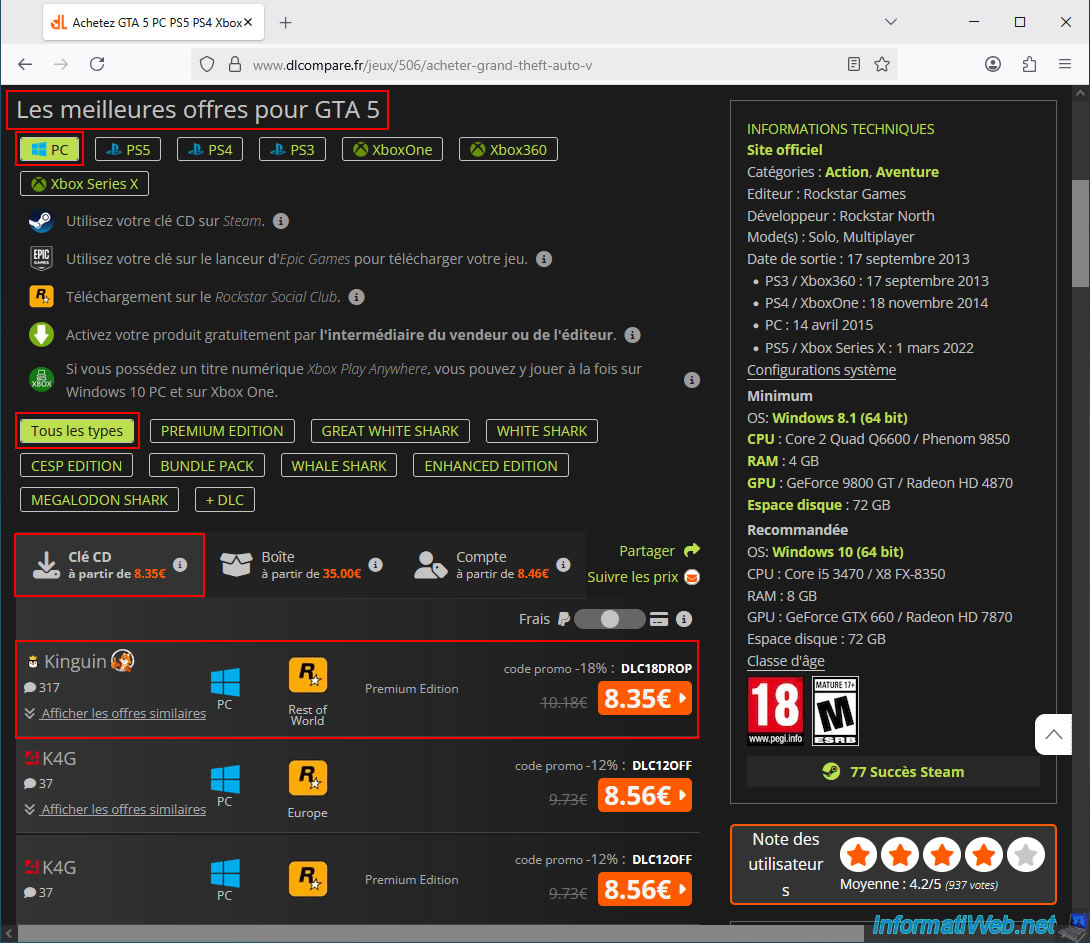
Note that purchase options may be limited depending on the platform (PC/console) chosen, even for the same game.
For example, for GTA 5, if you select the PS5 version, you'll see that the "CD Key" option isn't available, and you'll therefore be forced to buy the physical version (which is inevitably more expensive than the digital version available on PC).
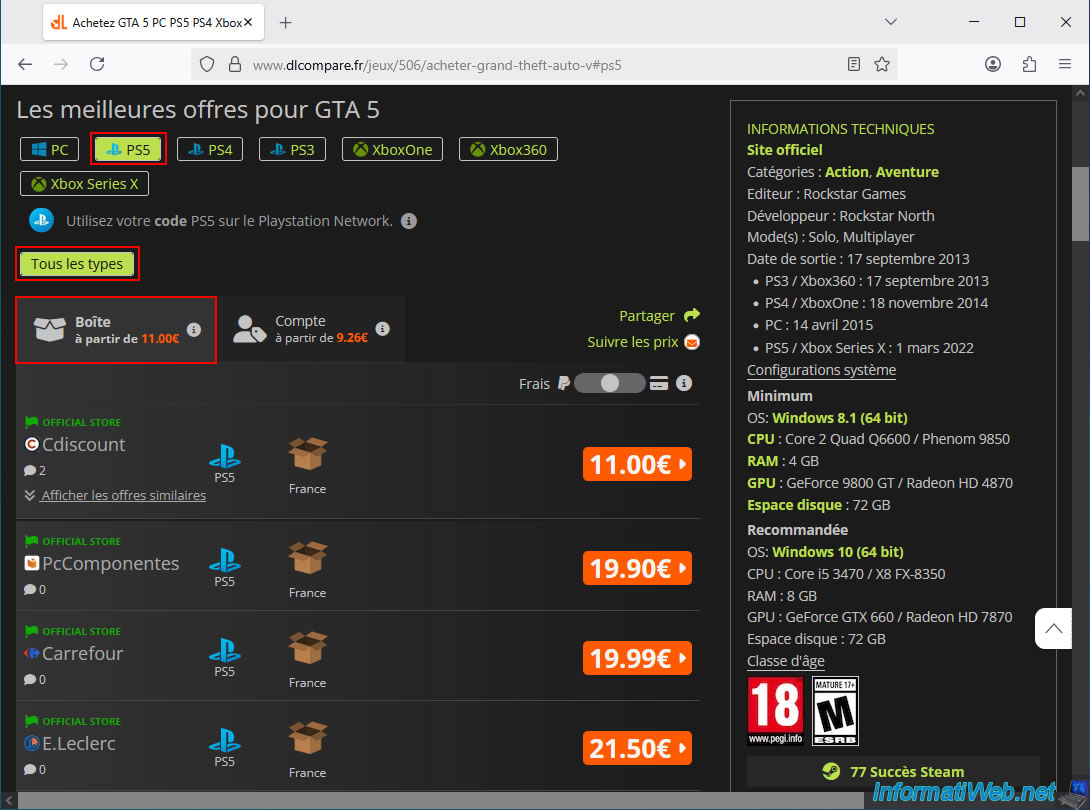
If CD keys aren't available for GTA 5 (a very well-known and popular video game) for the PS5, it's not Rockstar Games' (GTA's publisher) fault, but simply the console manufacturers'.
Indeed, while CD keys are very common (and legal) for PC versions of video games, this isn't the case at all for consoles.
By simply asking an AI, you'll quickly learn that console manufacturers like PlayStation and Nintendo have locked down this method of purchasing console games.
- For PlayStation and Nintendo, purchasing CD keys through third-party websites is therefore impossible (or virtually nonexistent, depending on the brand and target console).
- For Xbox (created by Microsoft), it's still possible, but in a limited way.
Here is the detailed AI response regarding the acquisition of digital video games for the consoles offered by this comparator "dlcompare".
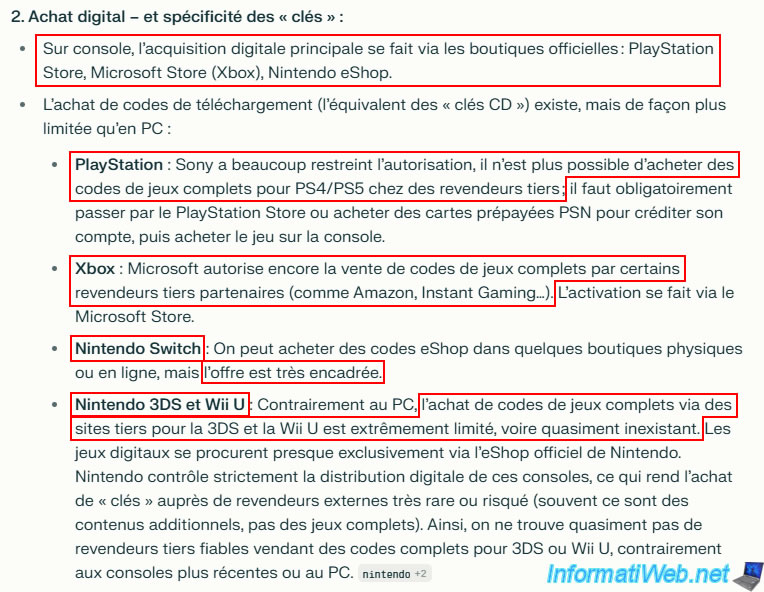
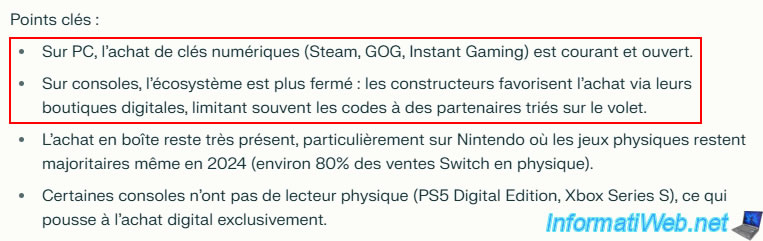
As the AI summarizes very well:
- On PC: Buying CD keys is very widespread, common, and open.
This is why you can find CD keys for all existing games on numerous third-party websites, allowing you to legally purchase your PC games at very low prices. - On consoles: The system is mostly closed (or restrictive, depending on the brand and console). While buying console games in digital versions remains possible, directly purchasing CD keys for consoles is not (or very rarely) possible.
Generally, to buy a digital version of a console game, you will therefore need to turn to partners who sell gift cards (PSN, Nintendo eShop, ...) at lower prices to save some money on these official digital purchases. Indeed, you will usually have to top up your account on the desired console, then buy the game directly from the official store available on your console.
3.2. Types of purchases possible (to save money on your video game purchases)
We've been talking exclusively about CD keys for a while now, but in reality, you can buy your video games in different ways.
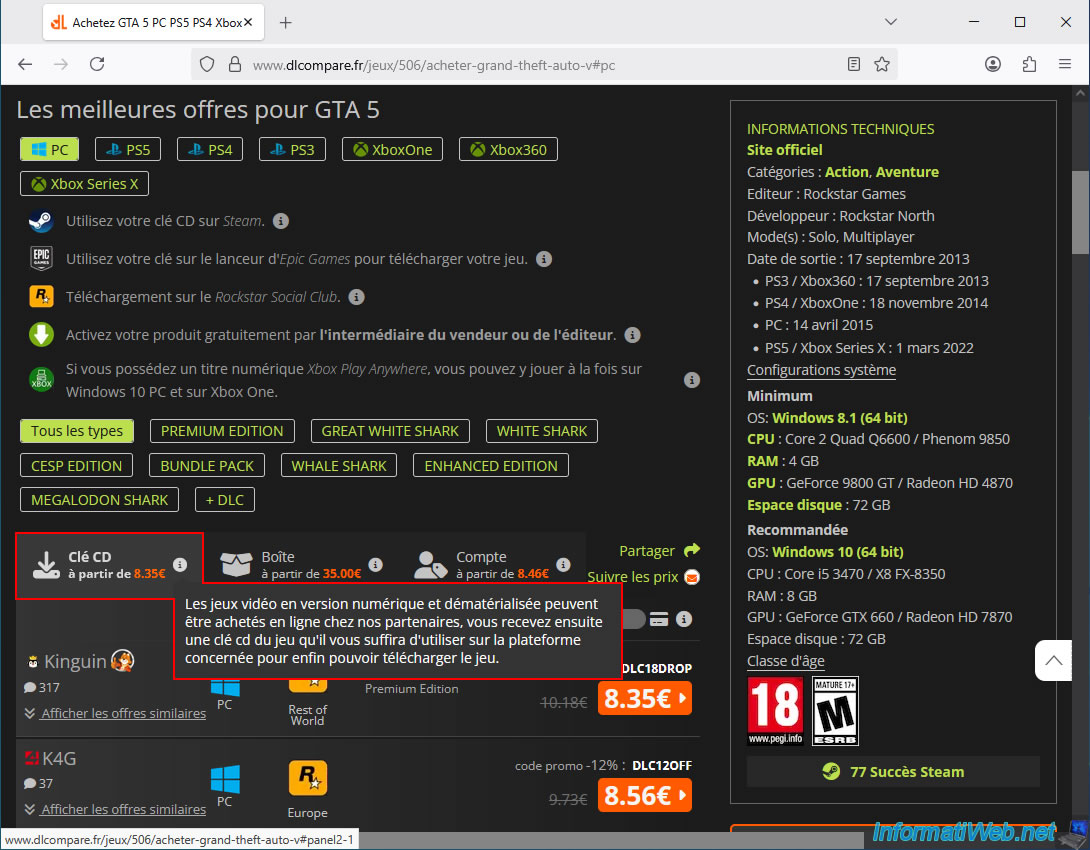
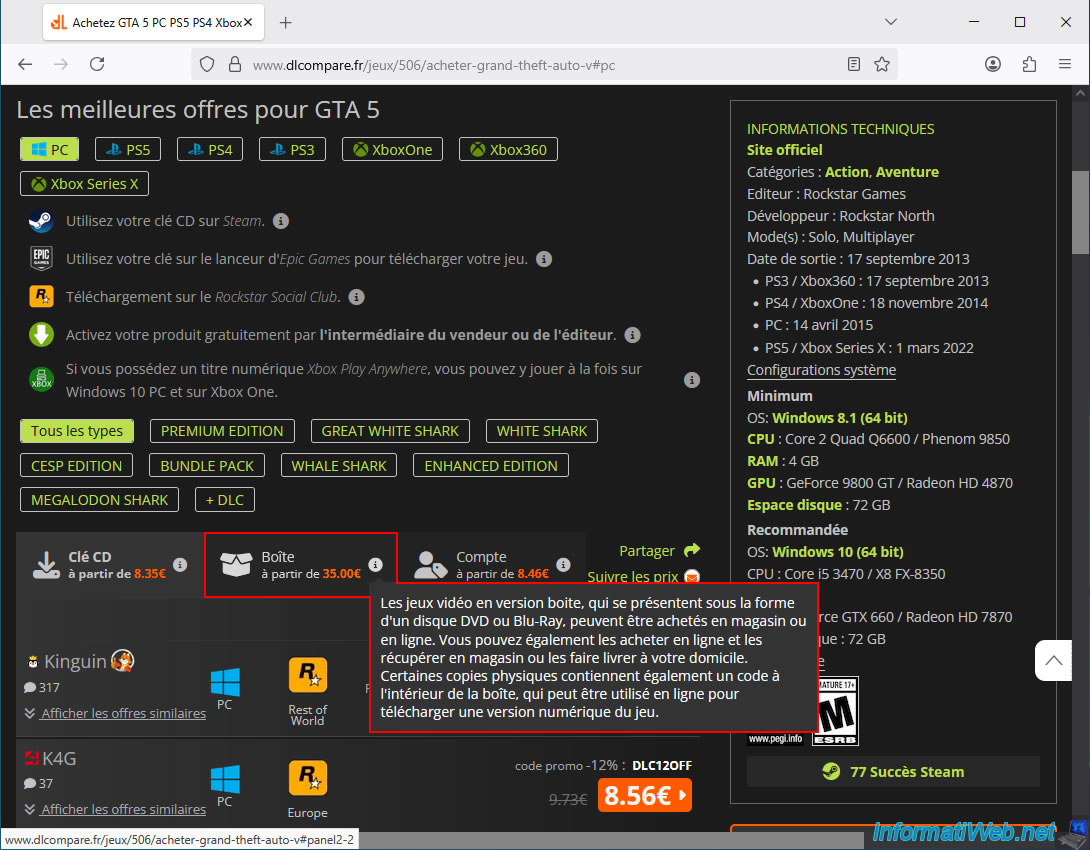
In fact, you can see up to 3 tabs (mainly for the PC version, since CD keys are rarely available for consoles):
- CD Key: this is the most common option for buying PC games at the lowest price, as it's a digital version where you simply receive a CD key (a unique serial number) that you just need to redeem on the official target platform (Steam, EA, Uplay, ...).
Since it's a digital version, there are no costs for a physical box or shipping. Furthermore, delivery is usually instant (or within a few minutes, depending on the retailer).
This method is the most reliable and cheapest, as long as you choose one of the offers provided by dLcompare (because they regularly verify that these retailers are still trustworthy). - Physical Box: this is the most common option for buying console games (since CD keys are generally not available for console games through third-party websites). In this case, you can have the game box delivered (which may also include a serial number allowing you to obtain the digital version of the game in some cases) to your home or to a store near you (depending on the online retailer).
- Account: This is a rather unusual technique (which is risky, and several online retailers mention the risk of accidental account bans) where you buy an account that will specifically grant you access to the purchased game.
In this case, you receive the login credentials for an account (generally, an account that has been created for you and to which the game you purchased will have been added).
However, this means that you will have to log in with the purchased account instead of your own when you want to play the game.
Warning: there is a risk that the purchased account will be blocked by the target platform (PlayStation, Xbox, ...) if you perform certain actions on this account (other than simply playing the game).
Never modify the settings of the purchased account. Play your game through this account and do nothing else with it (otherwise, it's at your own risk).
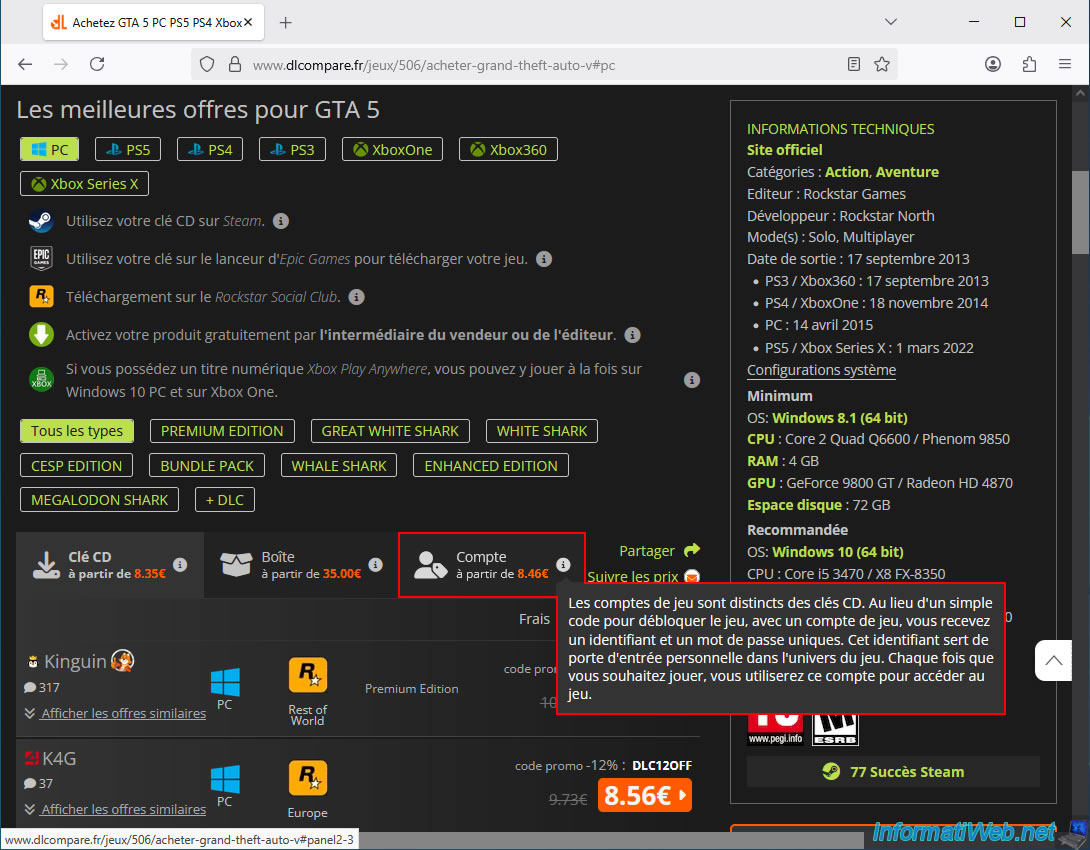
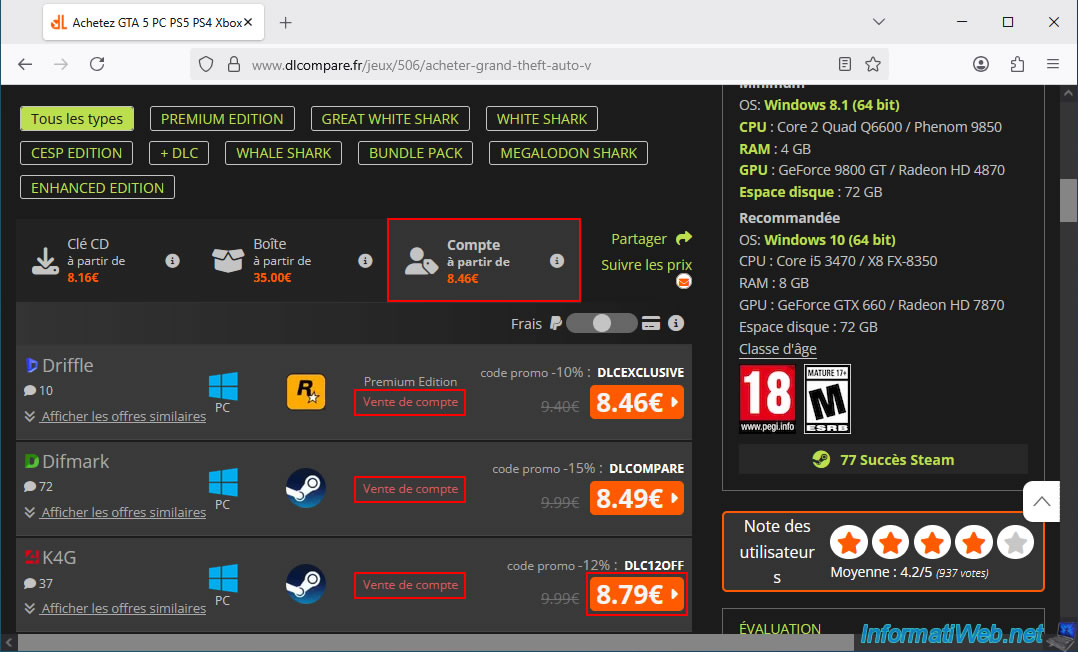
If you go to the "Account" tab (which we strongly advise against), you will see that the mention "Account Sale" is indicated in red each time (which proves that even this comparator advises against this method).
If you click on one of these offers, the usual dLcompare redirect page will intentionally pause to ensure you understand that it's an account sale and not a regular purchase (of a valid CD key or an original boxed copy).
Click the "Continue" button.
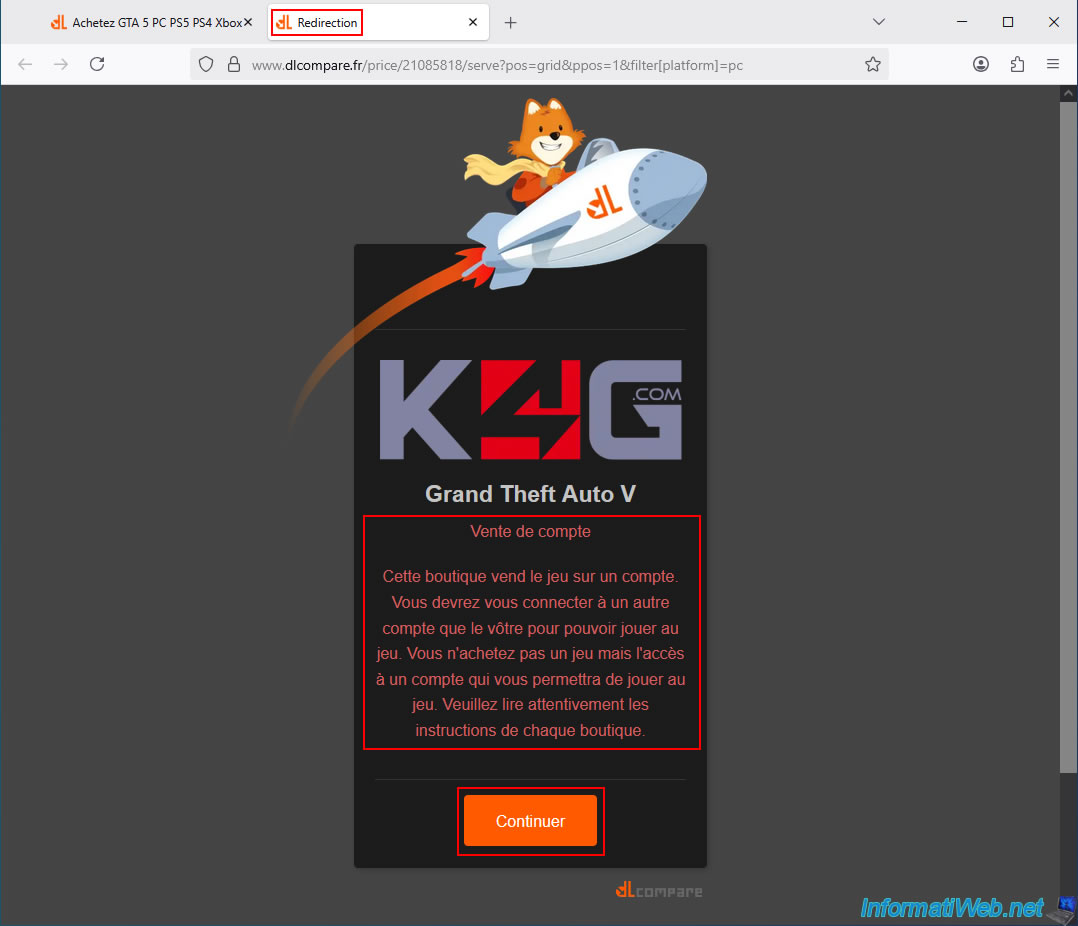
Depending on the retailer and the offer chosen, the warning will be more or less clear.
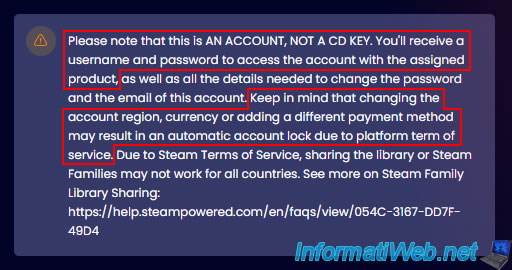
In the case of K4G, you might see the warning below.
In summary, K4G is warning you that:
- this is an account, not a CD key (serial number), and you will therefore receive the login details for an account to which the desired game has been assigned.
- changing the region, currency, or adding a different payment method to this account may result in it being automatically locked by the platform (Steam, EA, ...) where it is located.
Warning : in summary, K4G warns you that there is a real risk of this account being blocked or banned by the platform concerned if sensitive parameters are modified in this account (made after the purchase of this account).
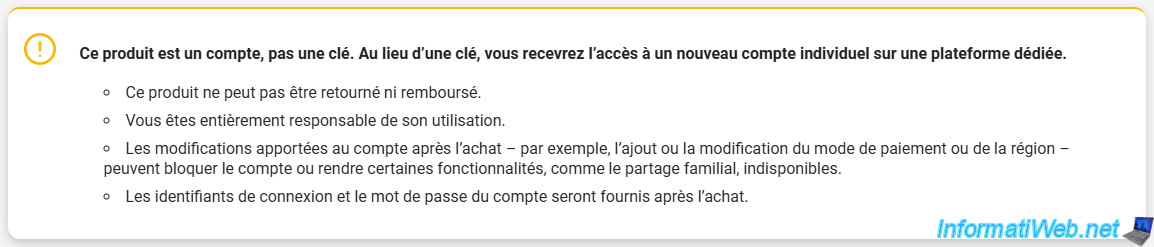
On the Kinguin website (another online retailer recommended by this comparison tool "dlcompare"), you will see a similar warning:
- this is not a game key, but a new account that will be created for you, and on which the desired game will be available.
- again, making changes to the purchased account may result in its being banned (again, the ban will be carried out by the gaming platform (Steam, EA, ...) and not by the retailer).

Finally, on the G2A website (yet another online retailer) available on this comparison tool, you will see the same type of warning again:
- modifications made to the purchased account could lock that account or make certain features unavailable.
Important : focus on buying CD keys (when possible, which is the case for all PC games and some console games (mainly Xbox)) and physical copies otherwise (which will be the only reliable option most of the time for console games).
Do not buy these accounts (even if the price seems attractive); there is a real risk of losing access to the account (and if not today, it could happen later if the platform changes its rules or suddenly suspends accounts they deem suspicious (even if, in your case, you paid for access to your game)).
Please note that we will never create tutorials for this type of purchase.
3.3. Be aware of geographical restrictions when buying cheaper video games
At the bottom of the page, you can change the target country (but in our case, we're using the French version (so the domain is "dlcompare.fr")).
This means that everything you see on this comparison tool will "normally" be valid for you.
That said, you'll see that some restrictions are sometimes broad (Europe, rest of the world, ...) or very specific (France, Belgium, ... only), but of course, this is always clearly indicated by the comparison tool.
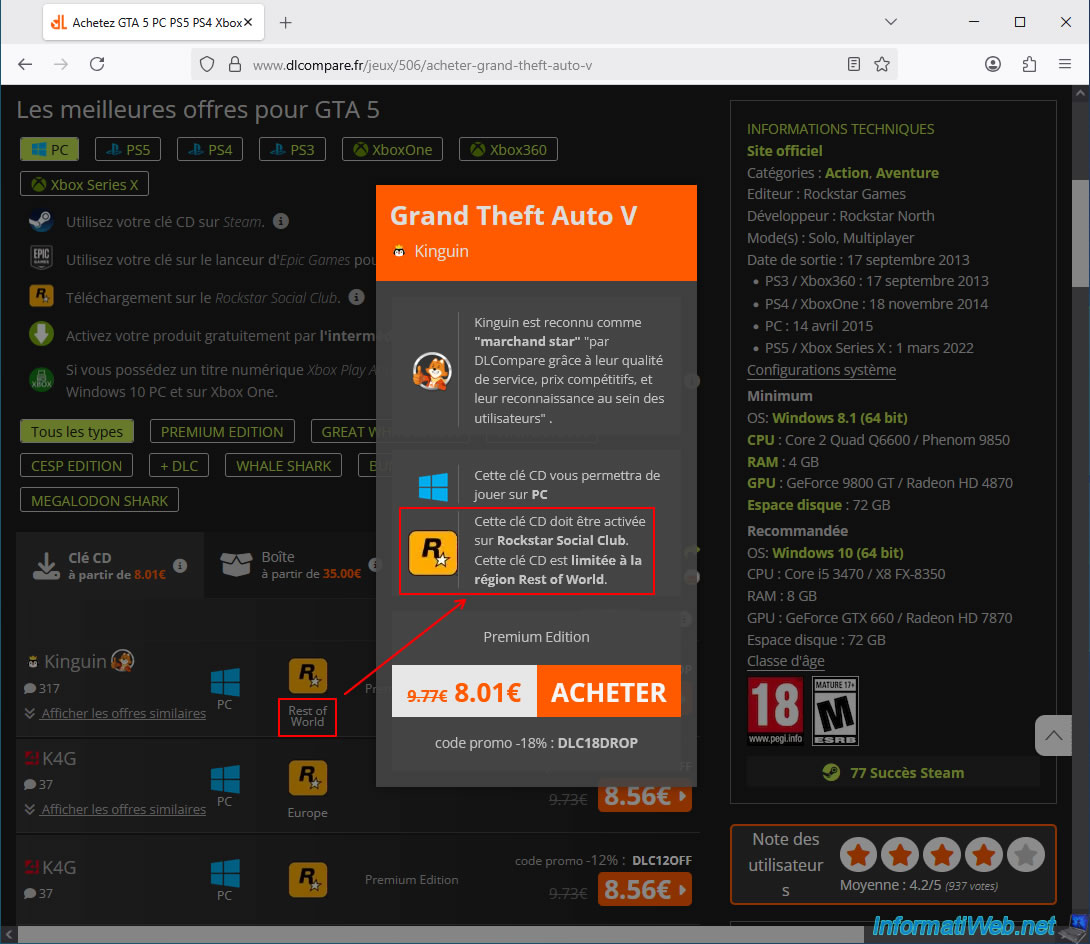
Again, we've chosen the game GTA 5, and you can see in the list that some offers have a geographical restriction.
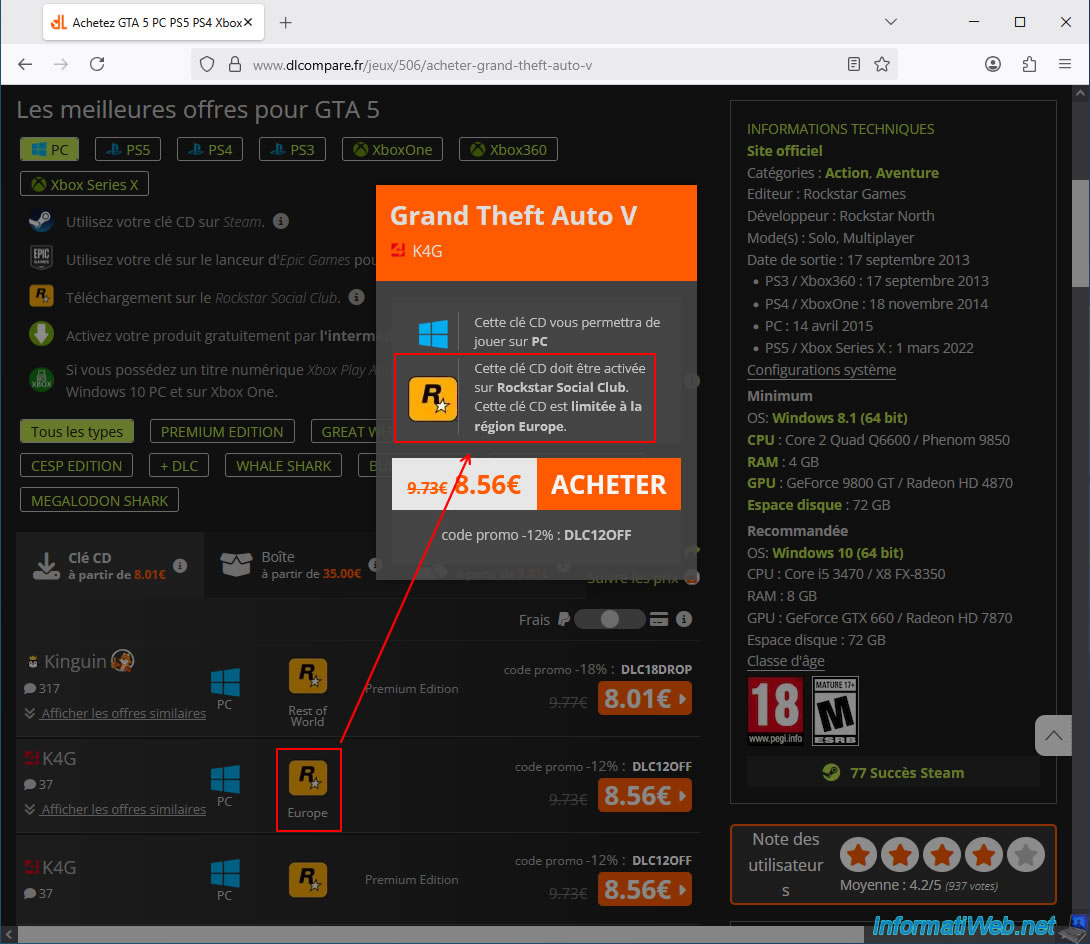
For this first example, you can see the Rockstar icon and the mention "Rest of World" (by moving your mouse to the left of the offer, an "i" will appear on an orange background; you can click on it to display the popup below).
As you can see, in the case of this offer, this CD key will have to be used on "Rockstar Social Club", but above all it is limited to the rest of the world (in other words: outside of Europe).
As you can see, the following offer (still a CD key) is again valid only for "Rockstar Social Club", but most importantly, this time it is limited to the "Europe" region.
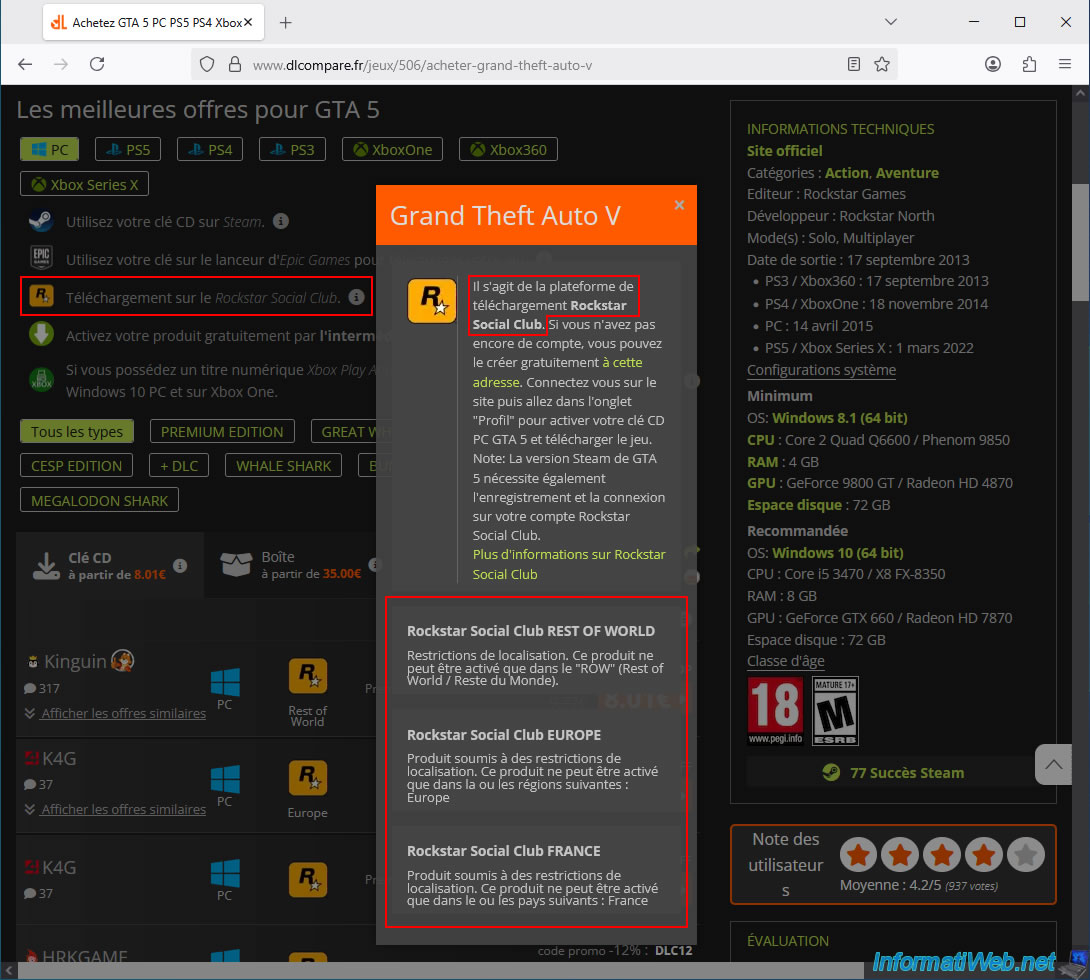
To better understand these geographical restrictions, click on the small "i" located to the right of the desired official platform (supported for this game).
For this example, we clicked on the small "i" for the "Rockstar Social Club" platform.
At the bottom of the pop-up window that appears, you will see that the location restrictions include:
- ROW : Rest of world / Reste du Monde.
- Europe
- France
- Belgium (for other offers on other games)
- and perhaps others.

No comment