- Backup
- Acronis True Image
- 08 June 2026 at 08:14 UTC
-

With the "System Cleanup" tool of Acronis Cyber Protect Home Office (True Image), you can clean your system securely.
Which means: delete your computer usage history, delete temporary files, ... making their recovery impossible, because the data is actually deleted (unlike deleting a file on Windows where it is simply removed from the list of files available on your hard drive without actually deleting the content of these files).
The data that will be deleted by the "System Cleanup" tool of Acronis Cyber Protect Home Office (True Image) cannot be recovered with data recovery software.
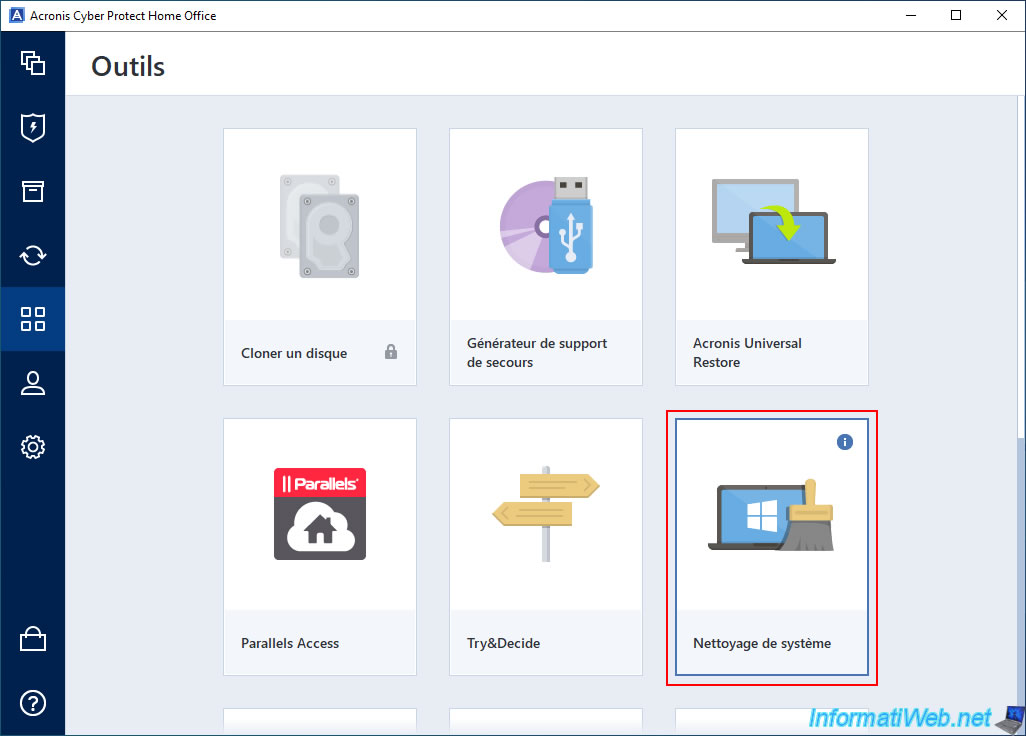
To use this tool, go to the "Tools" section of Acronis Cyber Protect Home Office (True Image) and launch the "System Cleanup" tool.
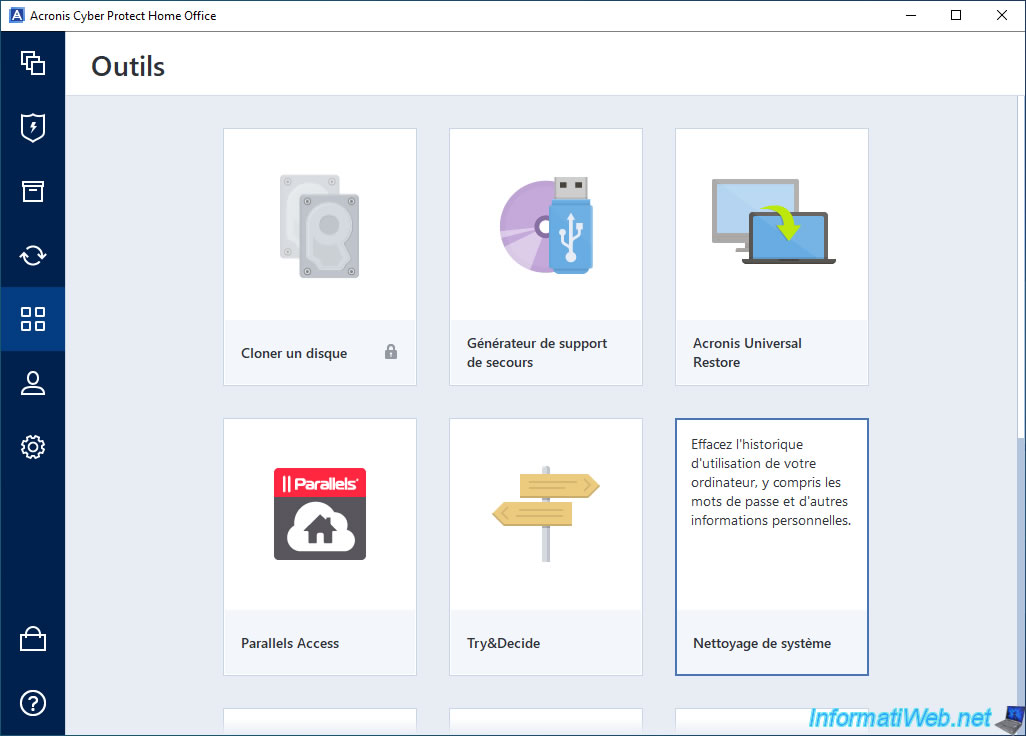
If you hover over the "i" in this tool, you will see that it allows you to clear your computer usage history, including personal information like passwords.
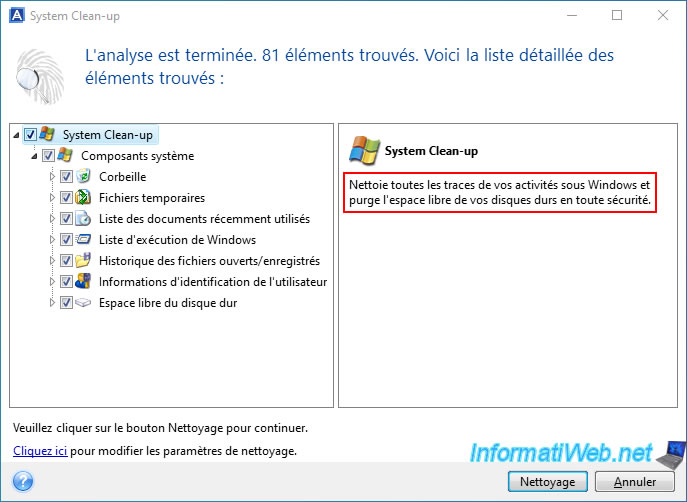
In the "System Clean-up" window, you will see that several system components will be cleaned:
- Recycle Bin: when you delete files in Windows, by default, they are sent to the Recycle Bin.
When cleaning, these deleted files will be permanently deleted so that they cannot be recovered via data recovery software. - Temporary Files: allows you to delete temporary files that can be deleted to free up disk space and potentially delete sensitive data that may be there.
- Recently Used Documents List: allows you to clear the list of files and documents that you have recently used on your computer.
When cleaning, only the history of opening these files is deleted. Therefore, the files concerned will not be deleted. - Windows Execution List: in Windows, it is possible to execute commands via the "Run" program (whose keyboard shortcut is "Win + R").
When cleaning, the history of commands executed via this program will be erased. - Open/Saved File History: clears the history of files that you have opened or saved on your computer.
- User Credentials: clears the list of network places that you have connected to using network credentials.
- Free Hard Disk Space: when you delete a file in Windows, its contents are not actually erased.
In fact, Windows will remove it from the list of files stored on your hard drive and mark the clusters where your file is contained as free.
With Free Space Wipe, the contents of deleted files will actually be erased from your hard drive.
This will make it impossible to recover deleted data.
To start cleaning your system, click on the "Cleaning" button.
Sources :
- Acronis Cyber Protect Home Office - User Guide for Windows - System Clean-up
- Acronis Cyber Protect Home Office - User Guide for Windows - Drive free space
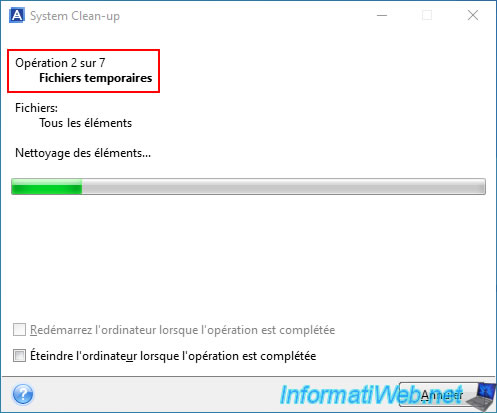
Please wait while temporary files, various system logs, ... are deleted.
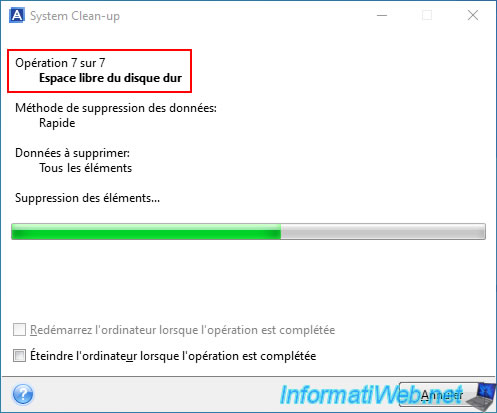
Also, please wait while erasing the free space to make recovery of deleted data impossible.
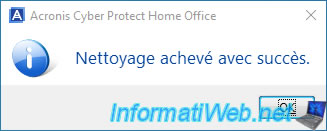
Once your system cleaning is complete, you will see the message "Cleaning completed successfully."
Share this tutorial
To see also
-
Backup 10/20/2025
Acronis True Image - Archive your files locally
-
Backup 9/7/2026
Acronis True Image - P2V - Virtualize a physical PC to VirtualBox
-
Backup 9/21/2026
Acronis True Image - P2V - Virtualize a physical PC to VMware ESXi
-
Backup 5/4/2026
Acronis True Image - Universal Restore Media - Create and use media
You must be logged in to post a comment