- Backup
- Acronis True Image
- 30 March 2026 at 08:10 UTC
-

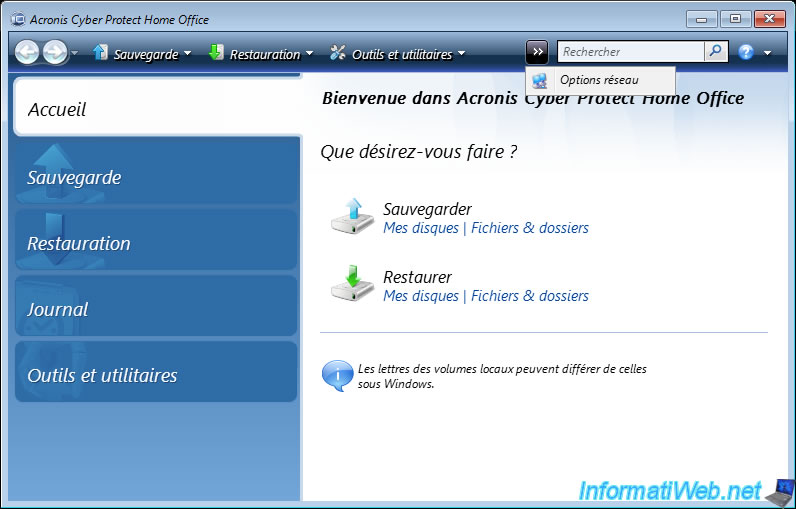
If you cannot access the network when you boot your computer from your Acronis rescue media, check the network configuration obtained by it by clicking ">> Network Options".
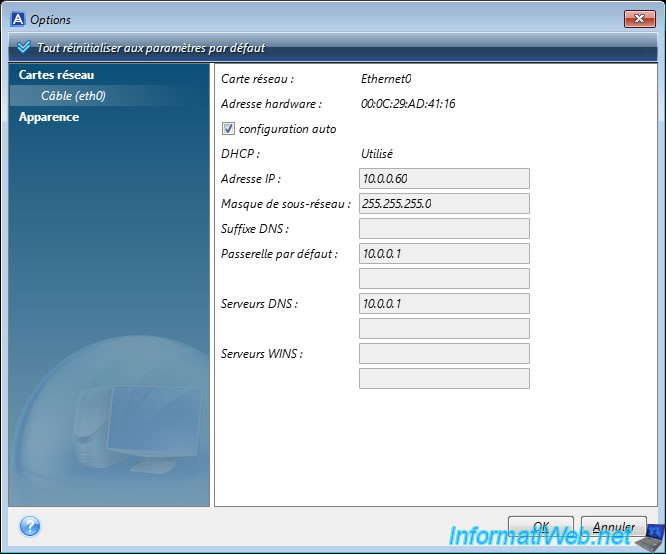
Select the desired network card (in the left column) and look at the IP configuration obtained by your computer.
As you can see, in our case, our computer received:
- IP address: 10.0.0.60.
- will use default gateway (router): 10.0.0.1.
- will use DNS server: 10.0.0.1 (so usually the same address as the default gateway).
Note that by default, the IP configuration is automatically received from the DHCP server present on your network (and usually in your router) because the "auto configuration" box is checked by default.
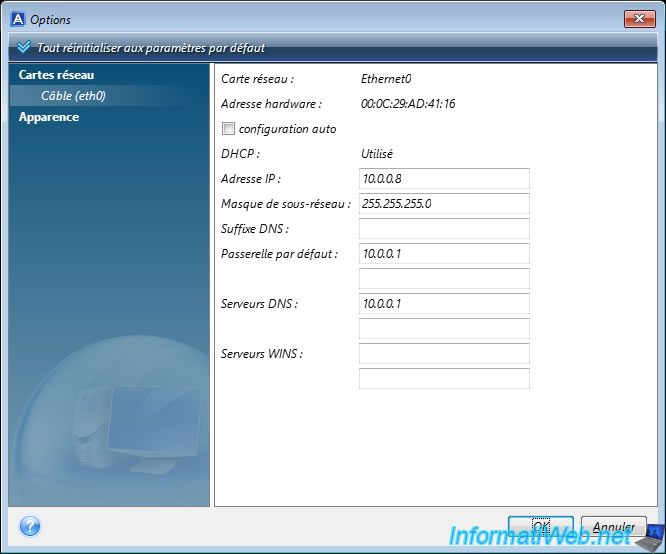
To manually specify the IP configuration to use, uncheck the "auto configuration" box and manually configure the requested network information (which by default will be the ones previously obtained via your DHCP server).
Once the network configuration is modified, click OK.
Warning : obviously, this network configuration will only be used now and will be automatically lost when you restart your computer.
The message "Saving network settings" appears for a few seconds and then disappears.

Share this tutorial
To see also
-

Backup 10/6/2025
Acronis True Image - Clean up backup versions of a PC (local and Cloud)
-

Backup 8/25/2025
Acronis True Image - Create backups and authenticate your files
-

Backup 12/1/2025
Acronis True Image - Synchronize a folder between 2 PCs (Cloud instead of local)
-

Backup 6/29/2026
Acronis True Image - Third-party tools
You must be logged in to post a comment