Back up your PC for free with the OEM version of Acronis True Image offered by Sandisk
- Backup
- Acronis True Image
- 12 October 2026 at 07:46 UTC
-

- 4/4
7. Create Acronis True Image for SANDISK rescue media (OEM version)
If your computer won't start, you'll need a live CD from which you can restore your Acronis backup to your hard drive.
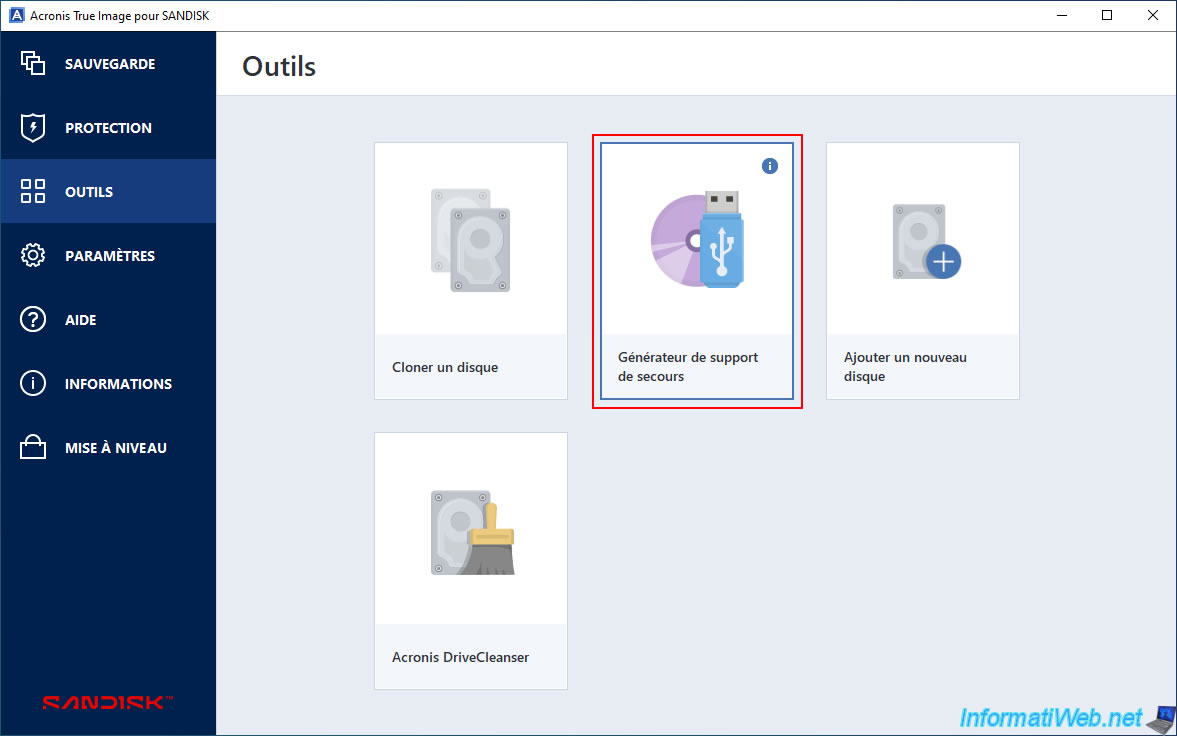
To do this, go to the "Tools" section and click on "Rescue Media Builder".
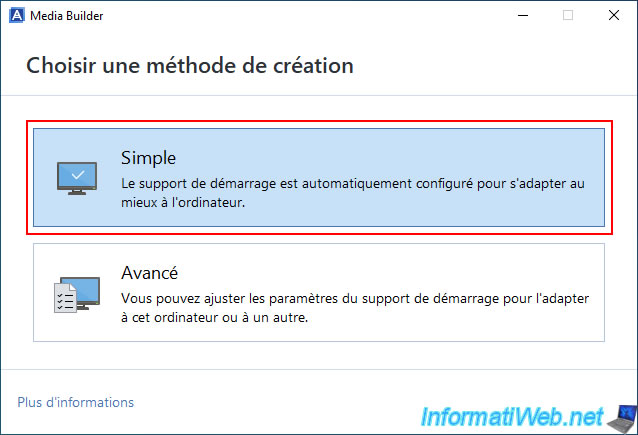
In the "Media Builder" that appears, choose the "Simple" option to easily and quickly create a backup medium that is suitable for your computer hardware.
Note: if needed, simply search "Acronis True Image - Rescue Media - Create media" on our site if you wish to use one of the other options of this "Rescue Media Builder".
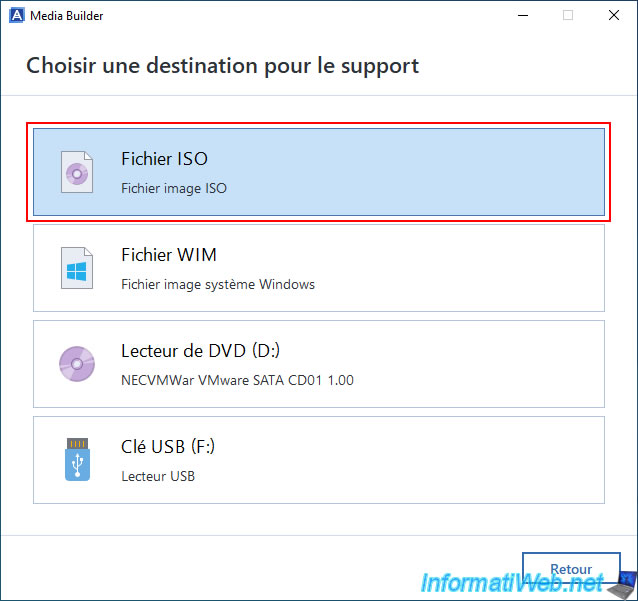
Next, click on "ISO file".
Note: to create a bootable USB key instead of an ISO file for this rescue media, refer to our tutorial "Acronis True Image - Rescue Media - Create media easily (bootable USB key)".
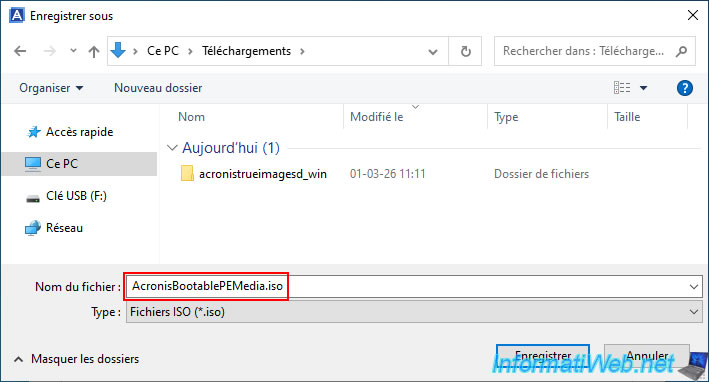
Choose where to save the "AcronisBootablePEMedia.iso" file that will be created and click "Save".
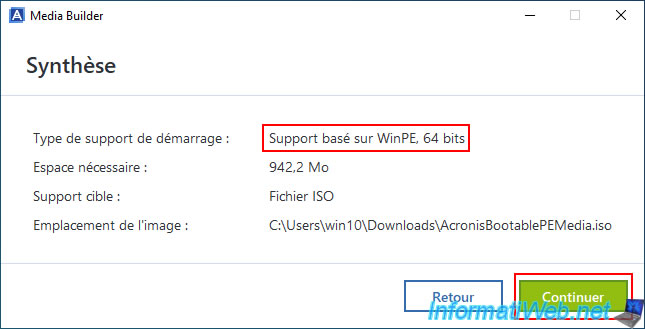
As you can see, a bootable medium with a Windows PE (WinPE) environment in the same architecture (32-bit/64-bit) as your Windows installation will be created.
Click "Continue".
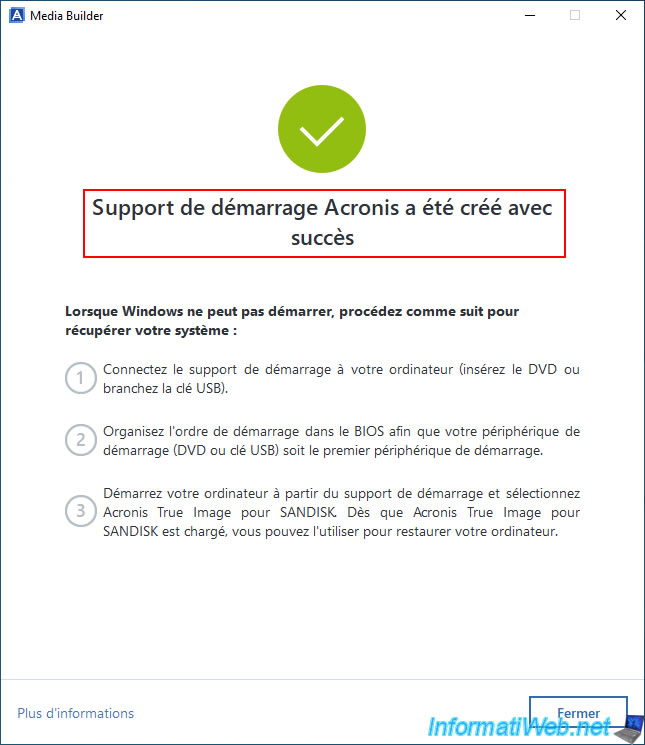
Once the ISO file is created, the message "Acronis bootable media has been created successfully" will appear.
8. Introducing Acronis True Image for SANDISK rescue media
Burn the created ISO file to a DVD, then configure your computer to boot from your CD/DVD drive first.
If needed, refer to our tutorials:
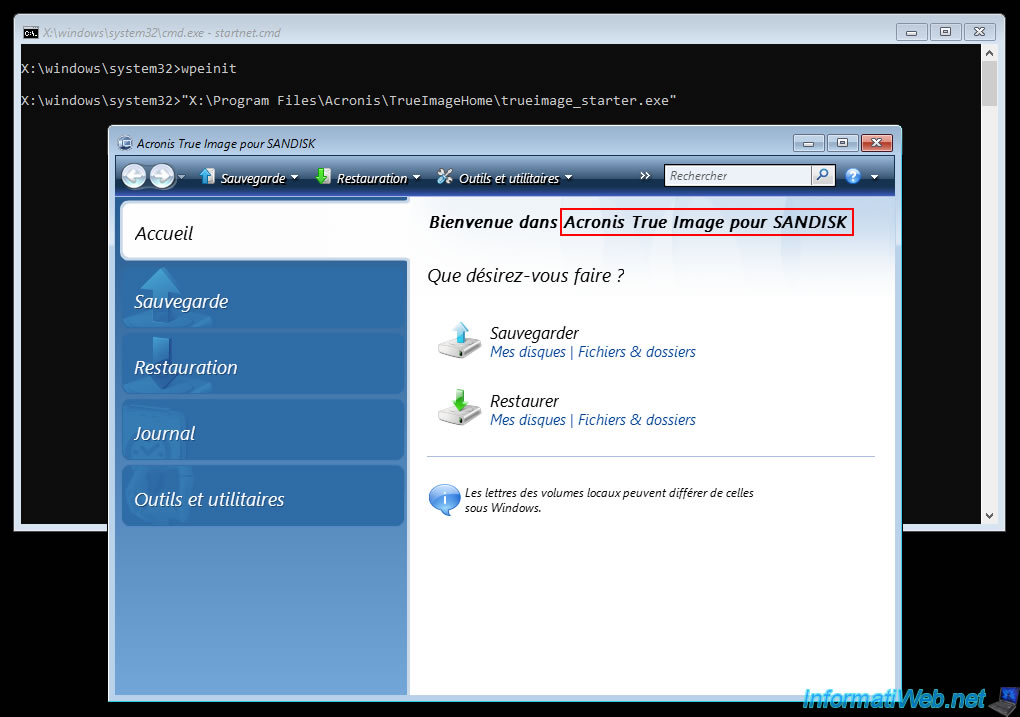
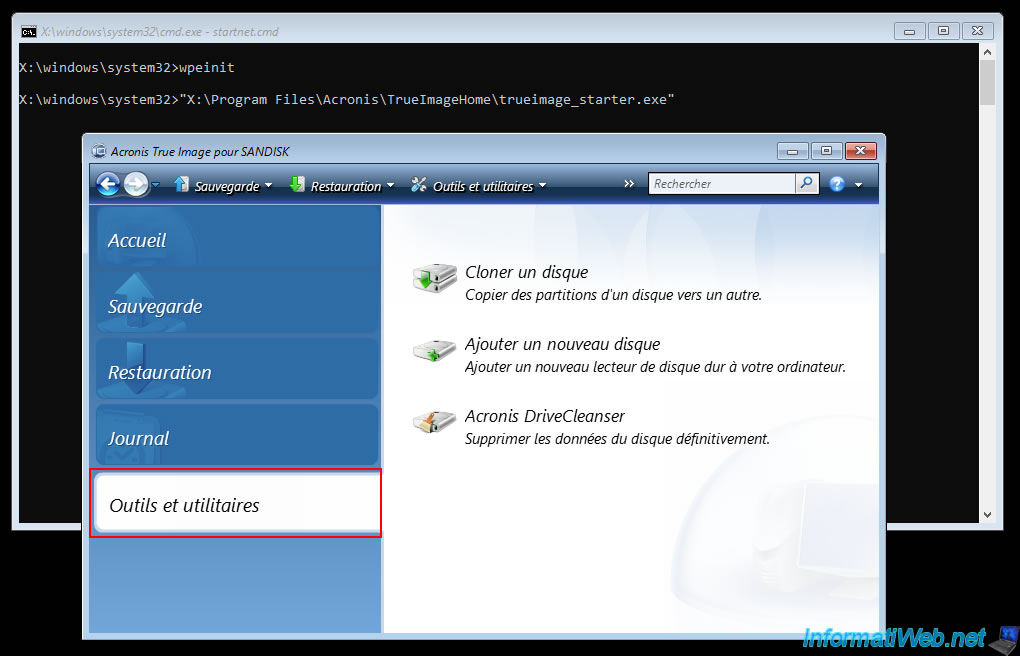
Next, you will see that the OEM version of SANDISK appears.
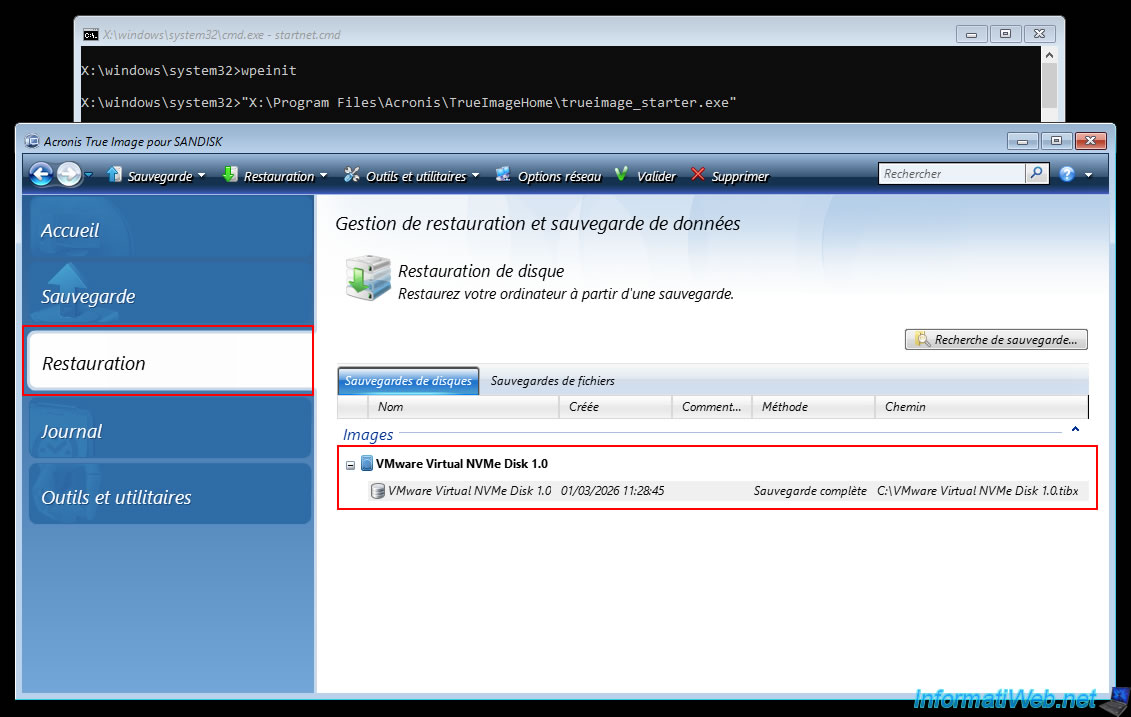
In the "Restore" section, you'll notice that this live CD automatically detects your backup created on Windows with Acronis True Image for SanDisk.
This will make restoring your computer easier in case of a problem with Windows.
Finally, you will find that the choice of tools is limited in the same way as with the OEM version from Western Digital and on Windows.
Share this tutorial
To see also
-
Backup 6/2/2025
Acronis True Image - Backing up your PC to an external hard drive
-
Backup 2/23/2026
Acronis True Image - Rescue Media - Secure disk erase
-
Backup 8/4/2025
Acronis True Image - Search for files in a backup
-
Backup 10/9/2025
Acronis True Image - Validate a backup
No comment