Presentation of Acronis Cloud storage solution
- Backup
- Acronis True Image
- 08 December 2025 at 09:07 UTC
-

- 2/2
3. Easily access Acronis Cloud
3.1. Access Acronis Cloud while automatically logged in
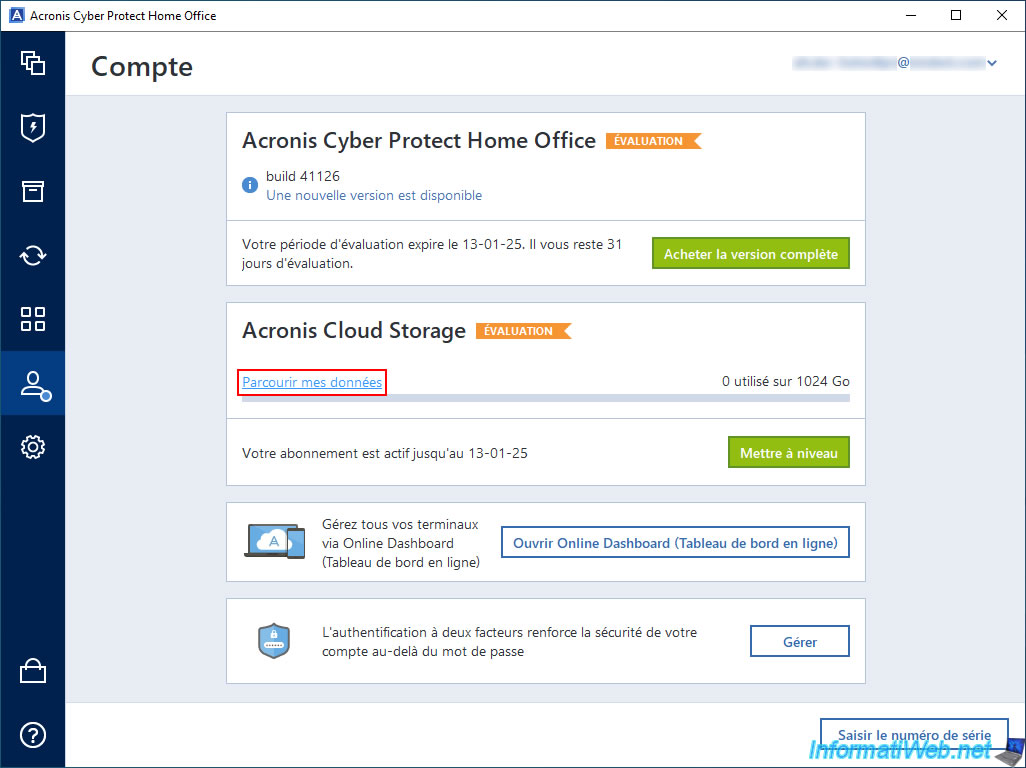
The easiest way to access Acronis Cloud from Acronis Cyber Protect Home Office (True Image) while being automatically logged in with your Acronis account is to go to the "Account" section of Acronis Cyber Protect Home Office (True Image) and then click the "Browse my data" link.
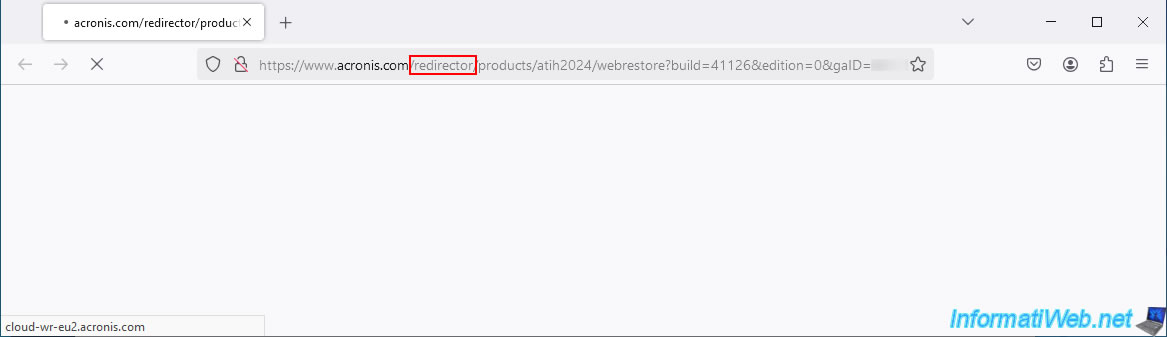
As you can see, your default web browser will be opened with a special address from Acronis (with the keyword "redirector").
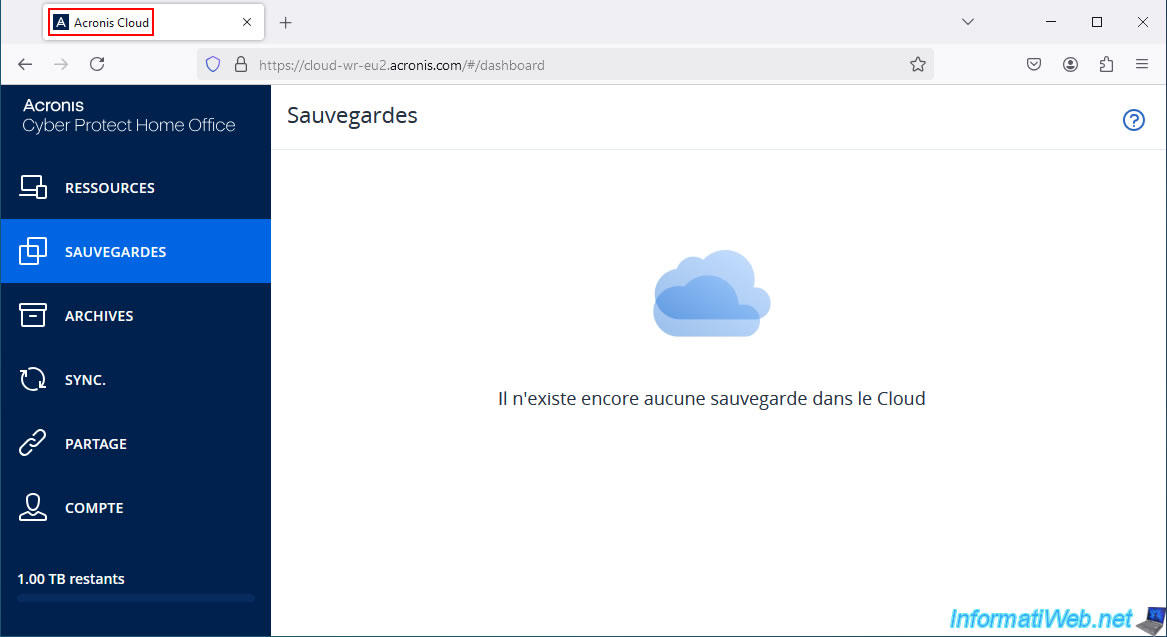
A few seconds later, you will arrive at the Acronis Cloud website without even having to log in with your Acronis account.
If you have already backed up your computer to Acronis Cloud, its backup will appear here.
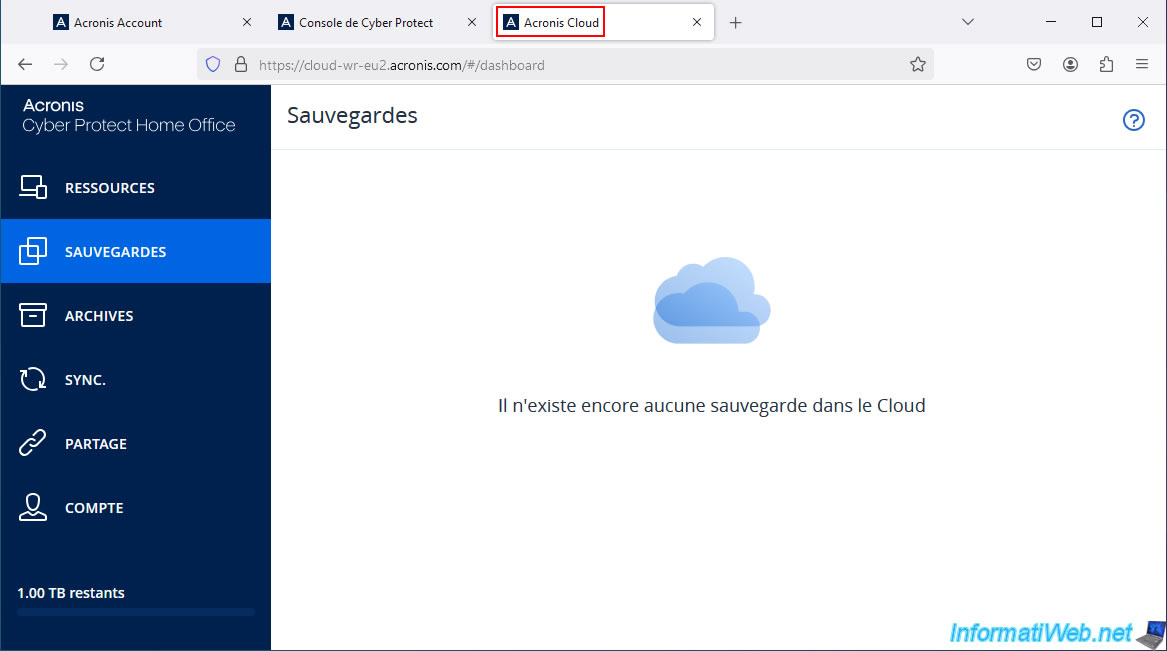
Otherwise, the message "There are no backups in the Cloud yet" will appear.
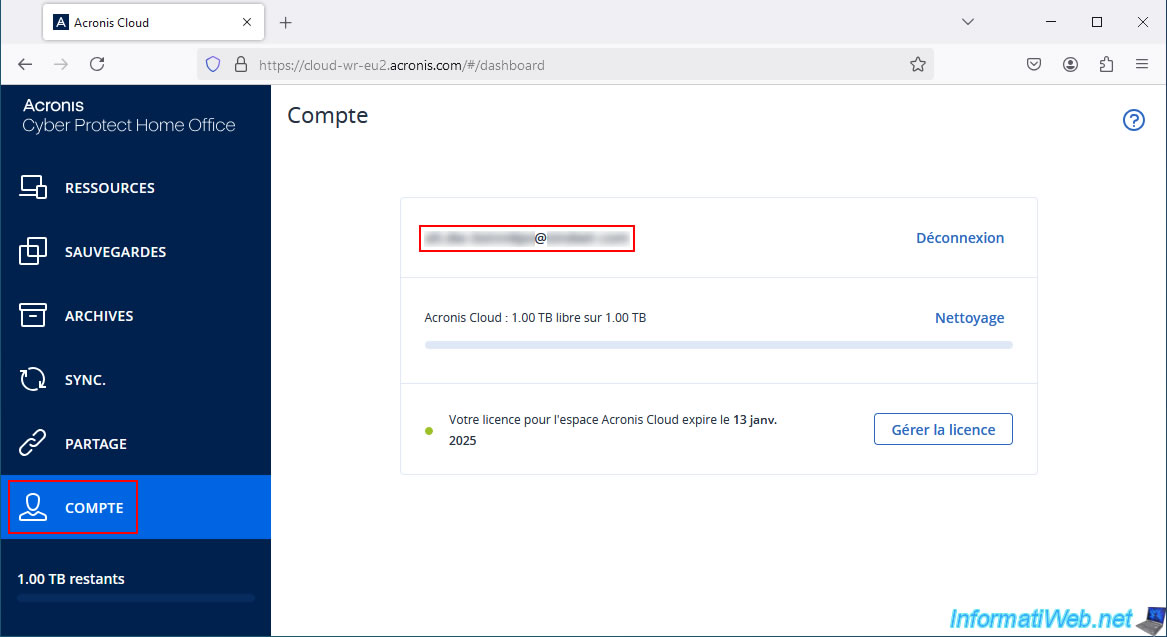
If you go to the "Account" section of this "Acronis Cloud" site, you will see that you are successfully logged in with your Acronis account.
3.2. Access Acronis Cloud via your Acronis account by being automatically logged in
The other way to access Acronis Cloud from Acronis Cyber Protect Home Office (True Image) while being automatically logged in with your Acronis account is to go to the "Account" section of Acronis Cyber Protect Home Office (True Image), then click on your Acronis account email address displayed on the top right.
Then, click on "My Account".
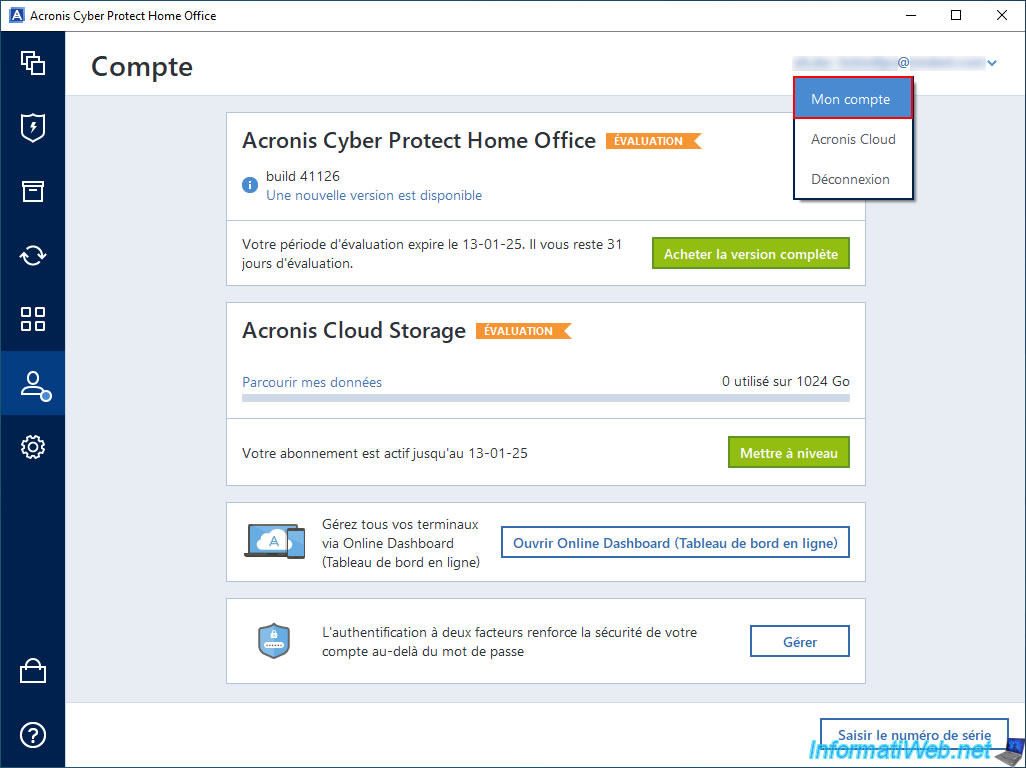
A special Acronis website address will be opened in your default web browser.

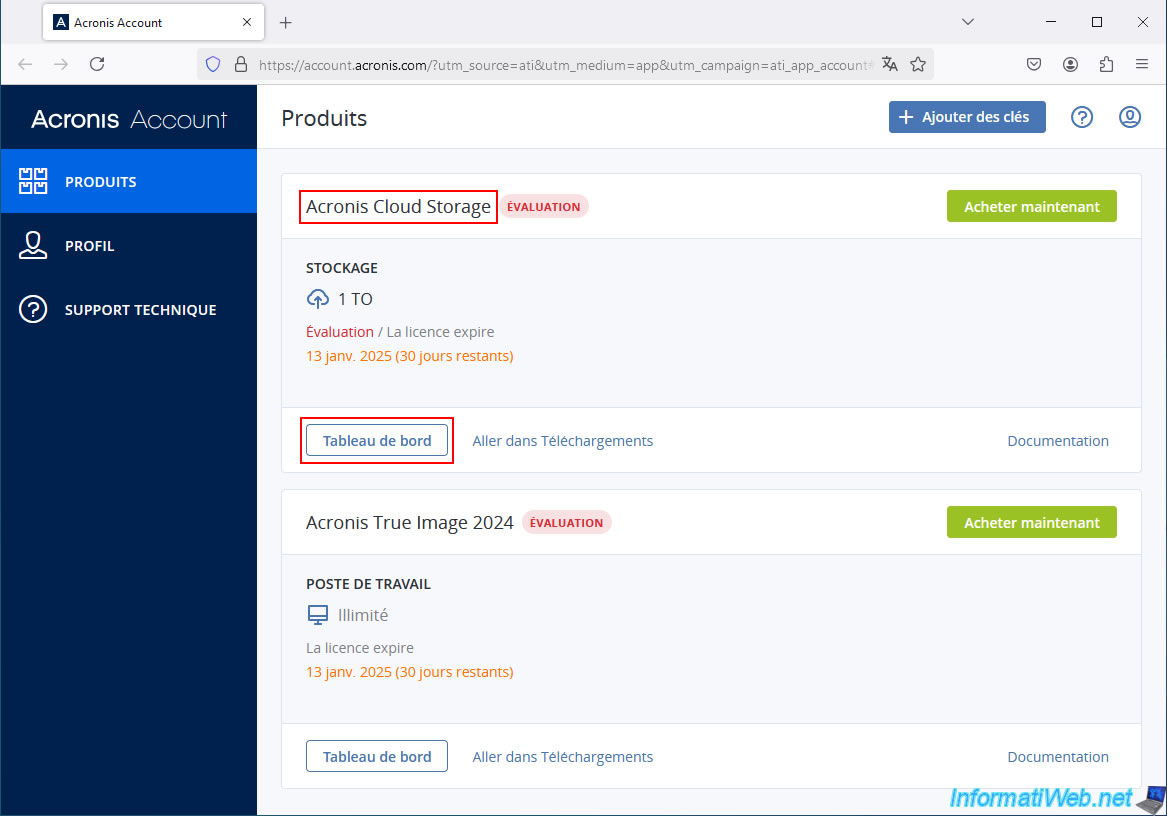
As you can see, you will arrive on the "Acronis Account" page of the Acronis website by being automatically logged in with your Acronis account.
You will be able to see your Acronis products appear:
- Acronis Cloud Storage: whether you have started the free trial of this service or have purchased an Acronis subscription that includes access to Acronis Cloud.
- Acronis True Image 2024: whether you are using the trial version of Acronis Cyber Protect Home Office (True Image) or have purchased a license for this Acronis product.
To access the "Acronis Cloud" site, click on the "Dashboard" button of the "Acronis Cloud Storage" product.
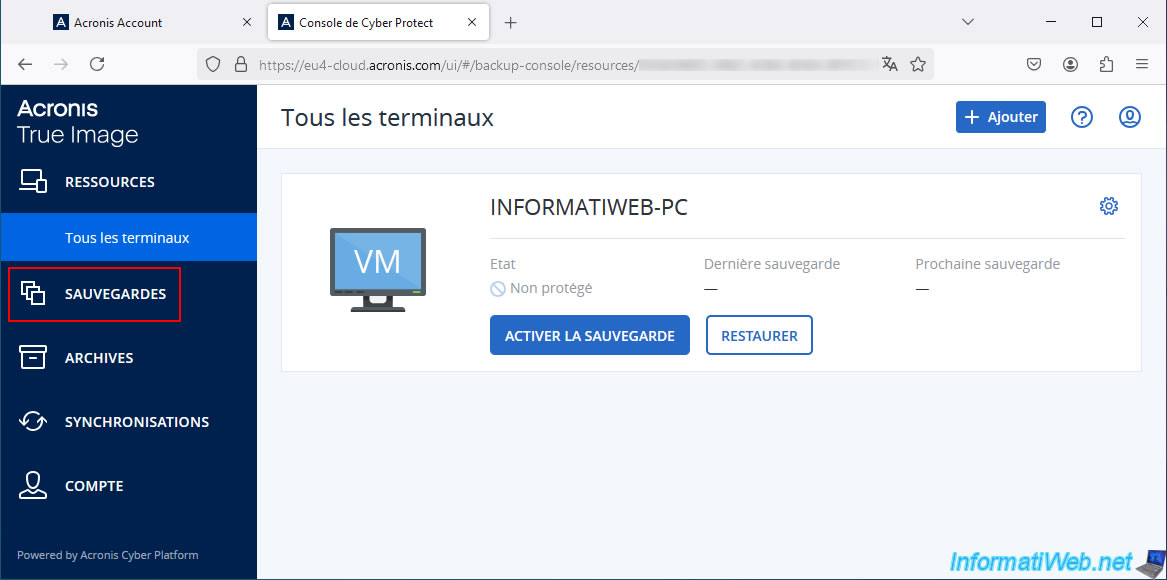
You will arrive at the "Cyber Protect Console".
In the left menu, click on "Backups".
Now, you are on the "Acronis Cloud" website and obviously you are already logged in with your Acronis account.
4. What data can you back up to Acronis Cloud?
4.1. Back up your computer to Acronis Cloud
By combining Acronis Cloud with Acronis Cyber Protect Home Office (True Image), you can store:
- backups of your entire PC to Acronis Cloud: Acronis True Image - Backing up your PC to Acronis Cloud.
- encrypted backups of your entire PC to Acronis Cloud: Acronis True Image - Backing up your PC to Acronis Cloud (encrypted backup).
- a copy of your entire PC's local backup to Acronis Cloud: Acronis True Image - Replicate backups to Acronis Cloud.
- a copy of your entire PC's encrypted local backup to Acronis Cloud: Acronis True Image - Replicate encrypted backups to Acronis Cloud.
4.2. Back up your smartphone to Acronis Cloud
By combining Acronis Cloud with Acronis Mobile, you can also store:
- backups of your smartphone (Android / iOS) on Acronis Cloud: Acronis True Image - Backing up your smartphone to Acronis Cloud.
- encrypted backups of your smartphone (Android / iOS) on Acronis Cloud: Acronis True Image - Backing up your smartphone to Acronis Cloud (encrypted backup).
4.3. Archive your old and large files to Acronis Cloud
With Acronis Cyber Protect Home Office (True Image), you can also store:
- archives of your old or large files on Acronis Cloud: Acronis True Image - Archive your files on Acronis Cloud.
- encrypted archives of your old or large files on Acronis Cloud: Acronis True Image - Archive your files on Acronis Cloud (encrypted archive).
4.4. Store files to be authenticated to Acronis Cloud (Premium subscription only)
With the Acronis Cyber Protect Home Office (True Image) "Premium" subscription, you can even store:
- files to authenticate on Acronis Cloud: Acronis True Image - Create backups and authenticate your files (on Acronis Cloud).
4.5. Backup Cloud services (Microsoft 365) to Acronis Cloud
You can also backup cloud services, such as Microsoft 365 (including: Outlook and OneDrive) by storing this backup on the cloud
- in plain text: Acronis True Image - Backup your Microsoft account to Acronis Cloud.
- in encrypted form: Acronis True Image - Backup your Microsoft account to Acronis Cloud (encrypted backup).
4.6. Synchronize folder contents to or from Acronis Cloud
With Acronis Cyber Protect Home Office (True Image), you can also sync the contents of a local folder (on your computer) to Acronis Cloud (and vice versa):
- local to Cloud : Acronis True Image - Synchronize a folder to Acronis Cloud.
- Cloud to local : Acronis True Image - Synchronize a folder from Acronis Cloud.
Share this tutorial
To see also
-
Backup 6/9/2025
Acronis True Image - Backing up your PC to a FTP server
-
Backup 6/30/2025
Acronis True Image - Backup disks or partitions
-
Backup 9/28/2026
Acronis True Image - P2V - Virtualize a physical PC to VMware vSphere
-
Backup 1/26/2026
Acronis True Image - Rescue Media - Create media (Win PE version)
No comment